Coaches · 3 min
Read your athletes’ journal
See how hard each session felt, how your athletes slept and whether anything hurts, for one athlete or the whole group.
Updated October 23, 2026
Your athletes keep two kinds of journal in the app. After each session they note how hard it felt, how happy they were with it, any pain and a few words. Each morning they fill in a short daily journal about their sleep, energy and pain. You'll find both under Training → Journal.
One athlete
Choose the athlete under Athlete or Group. At the top you'll see how many sessions they had and how often they filled in their journal. Below is a list of every session with how hard it felt (exhaustion), how satisfied they were, any pain and any measurements.
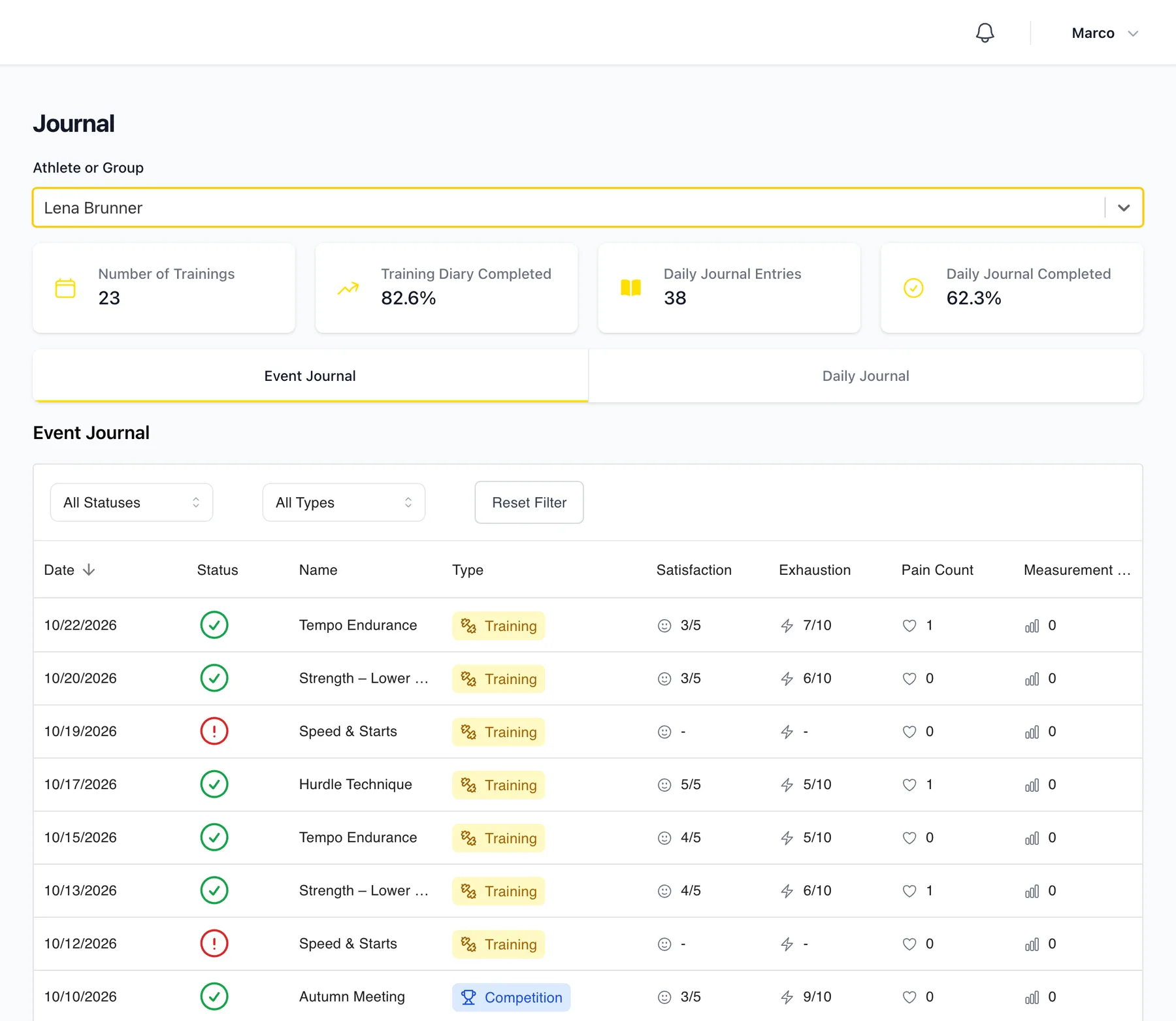
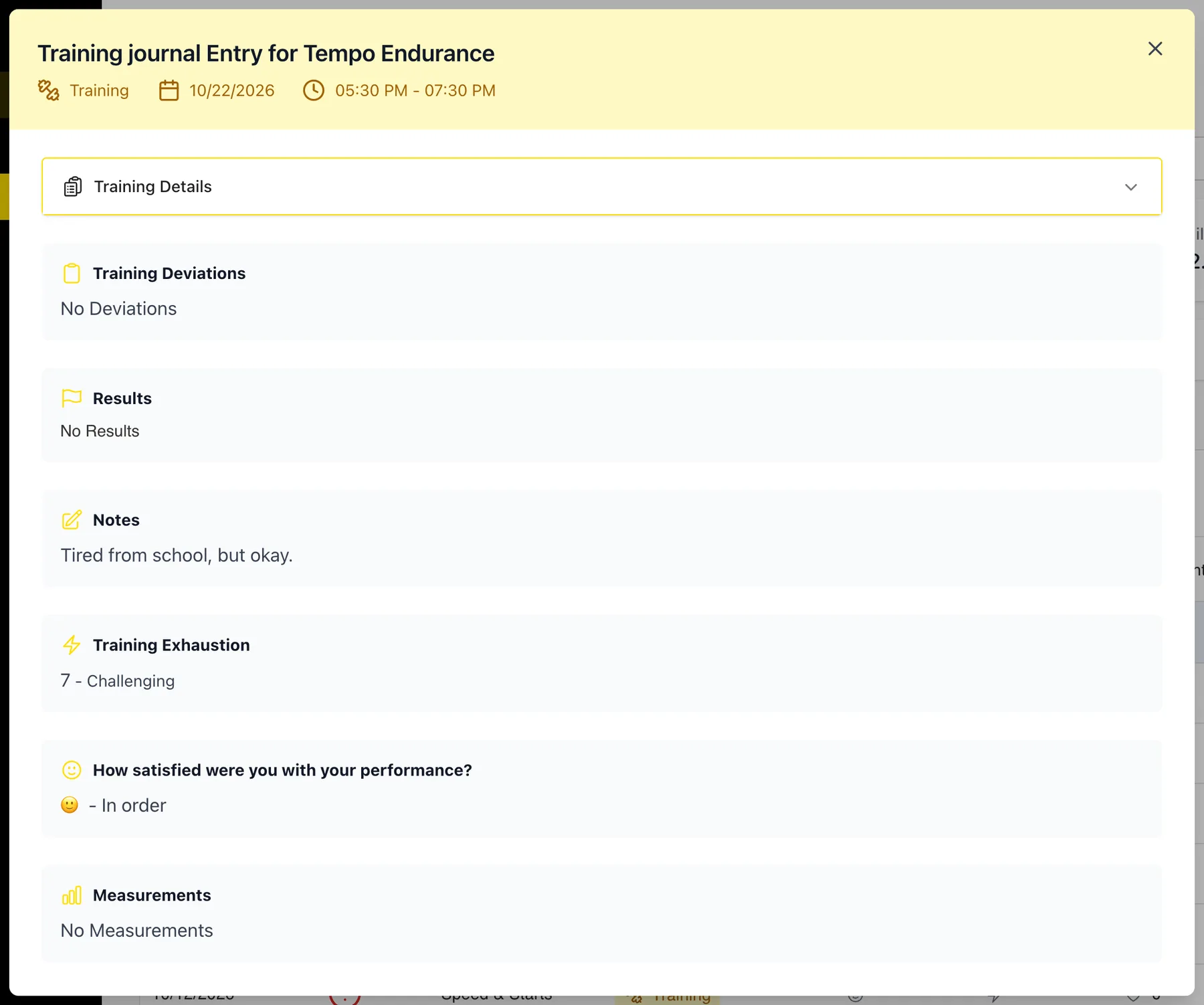
Click a session to read the full entry, including their notes.
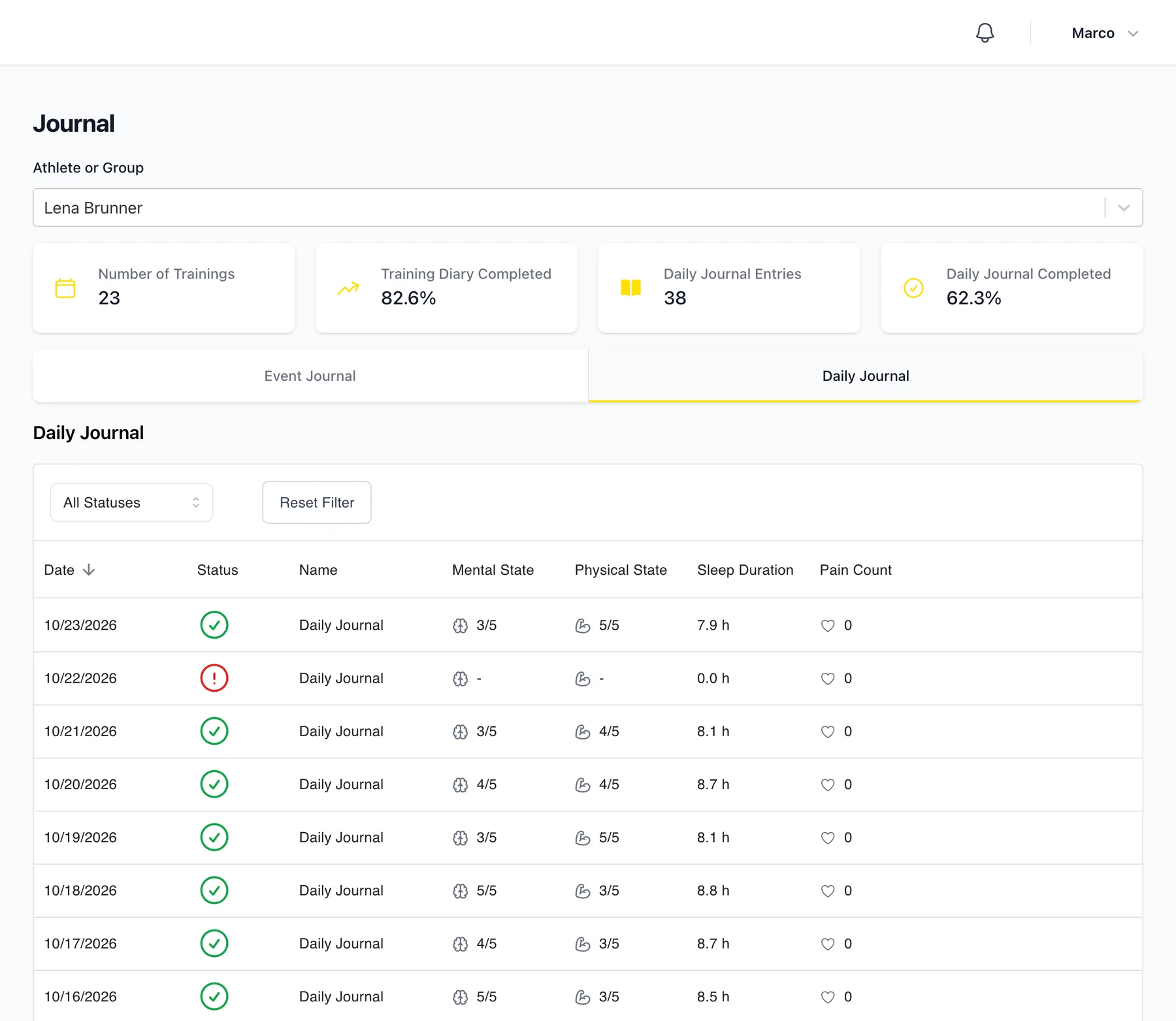
Switch to Daily Journal to see their mornings: how long they slept, how they felt physically and mentally, and any pain.
The whole group
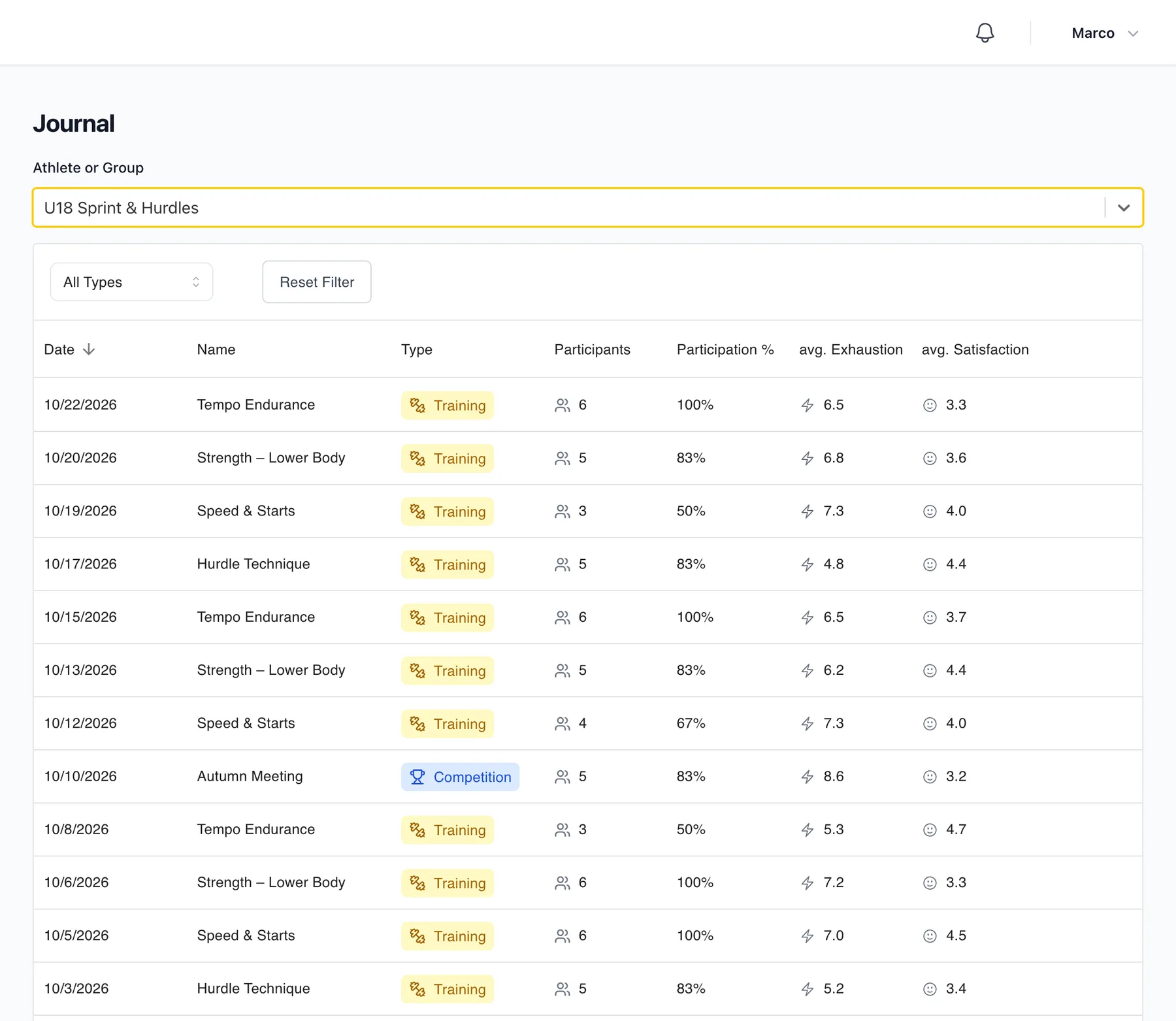
If you choose a group instead, each row is one group session. You see how many athletes took part and the group's average satisfaction and exhaustion. It's a quick way to spot a session that was harder than you intended.
Good to know
- A red mark under Status means the athlete hasn't filled in their journal yet. You can send them a reminder from your dashboard.
- Athletes decide what you can see. If sleep or pain data is missing, they may have turned it off in their permissions.
- To see the numbers over time, look at Analytics and Training load and ACWR.
Didn’t find what you were looking for?
Send us an email. We usually reply the same day.