Coaches · 3 min
Track performance metrics
Record sprint times, jump distances or any other results and follow your athletes’ progress in a chart.
Updated October 23, 2026
Metrics are the numbers that show progress in your sport, like a 30 m sprint time or a standing long jump. Set one up for a group and every athlete in it can enter their results in the training journal. You can also enter them yourself after a test.
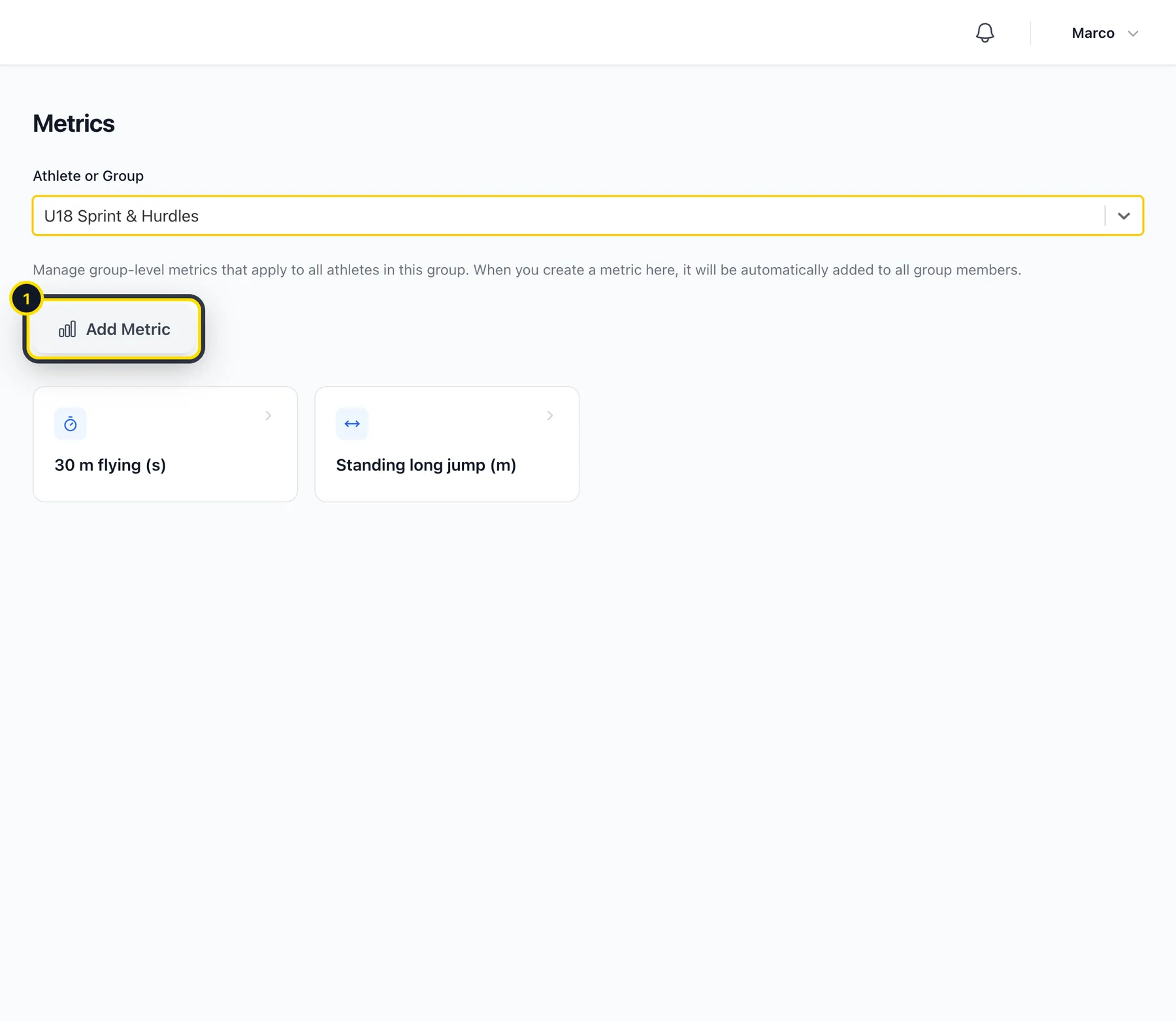
Open Metrics
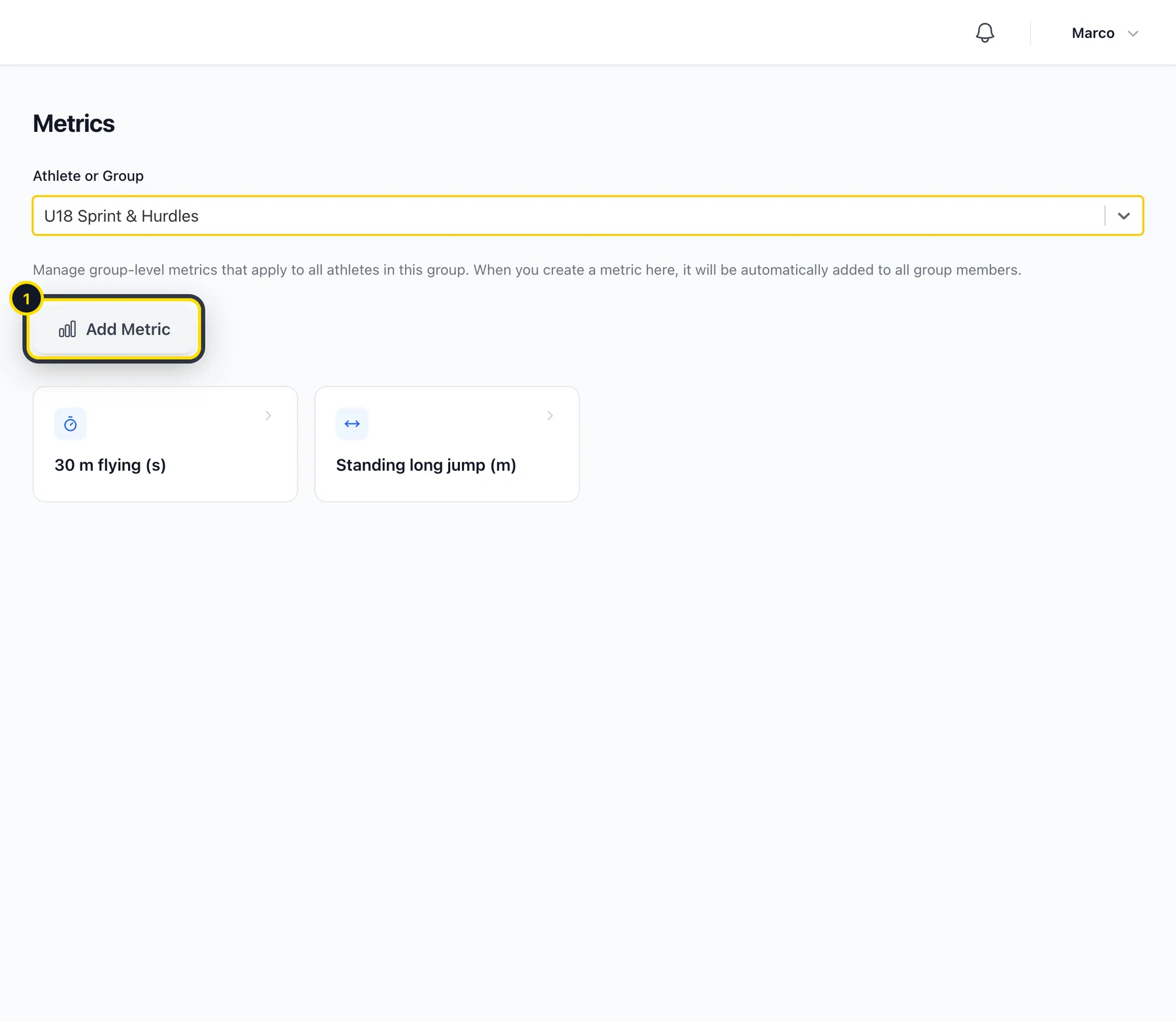
Go to Insights → Metrics and choose a group. Click Add Metric (1) to create a new one.
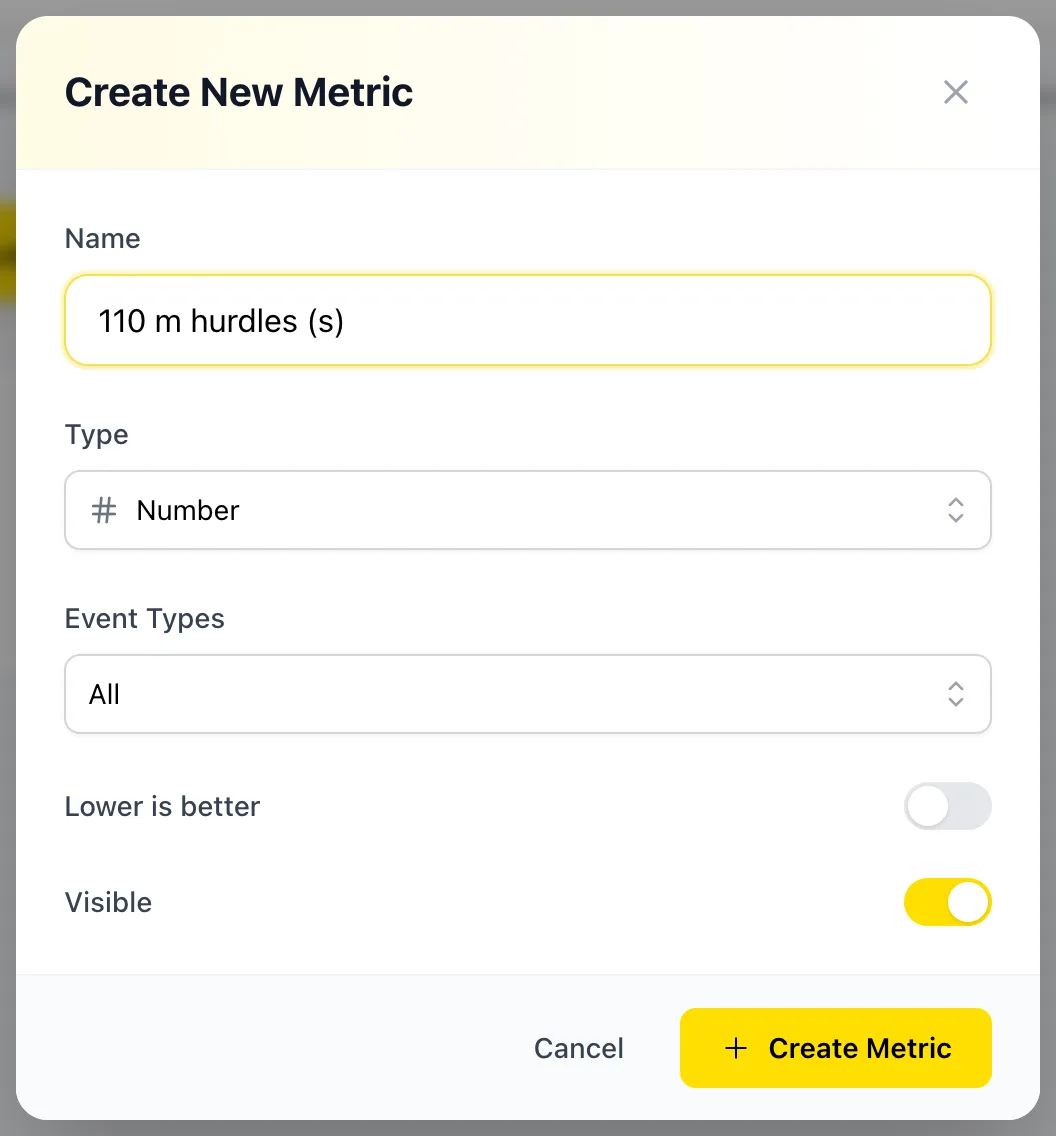
Create the metric
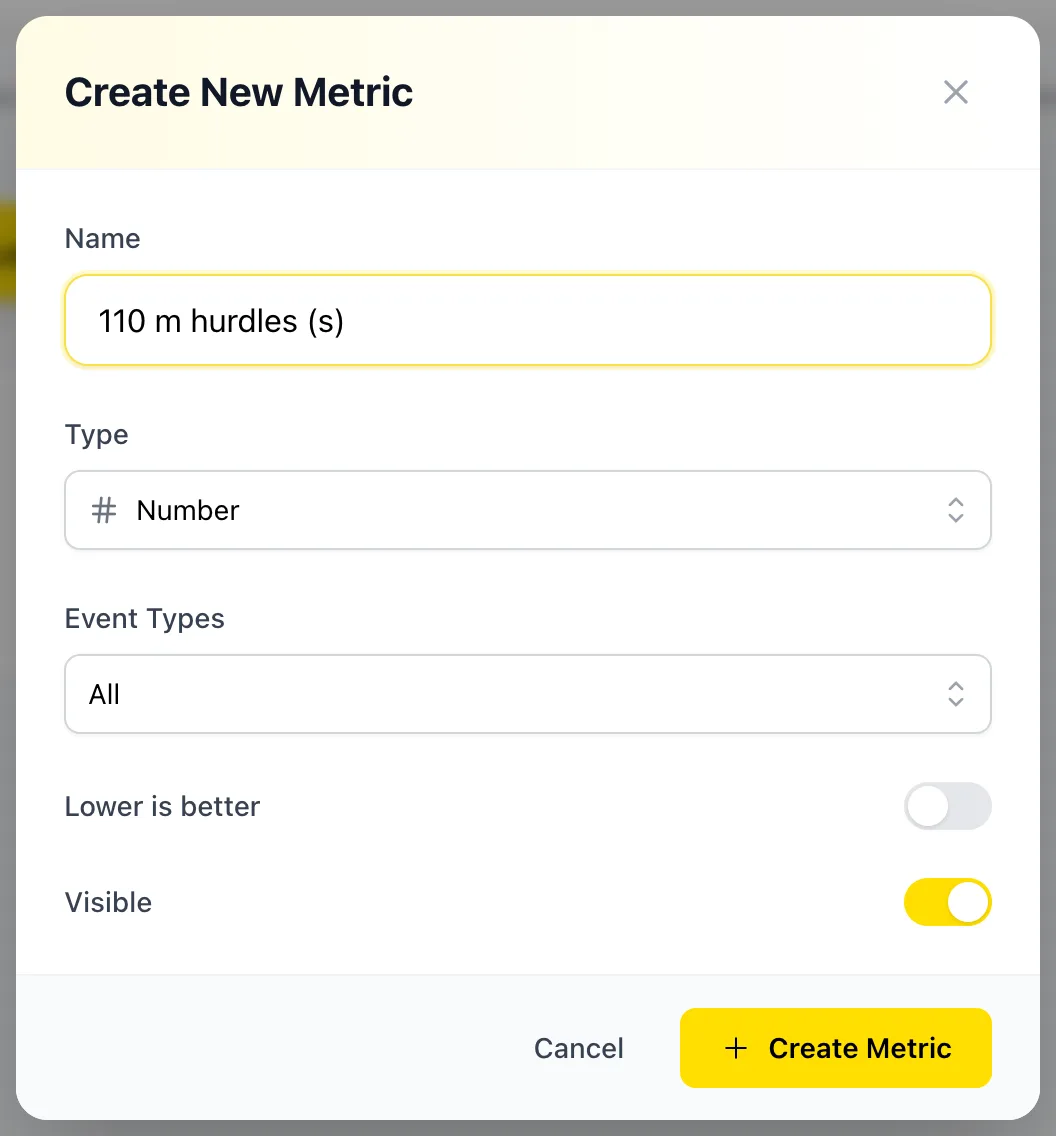
Use a clear name that includes the unit, like 110 m hurdles (s), and choose the type: number, time, distance, height, weight, reps, points or text. For times, switch on Lower is better. You can also choose which journals it appears in.
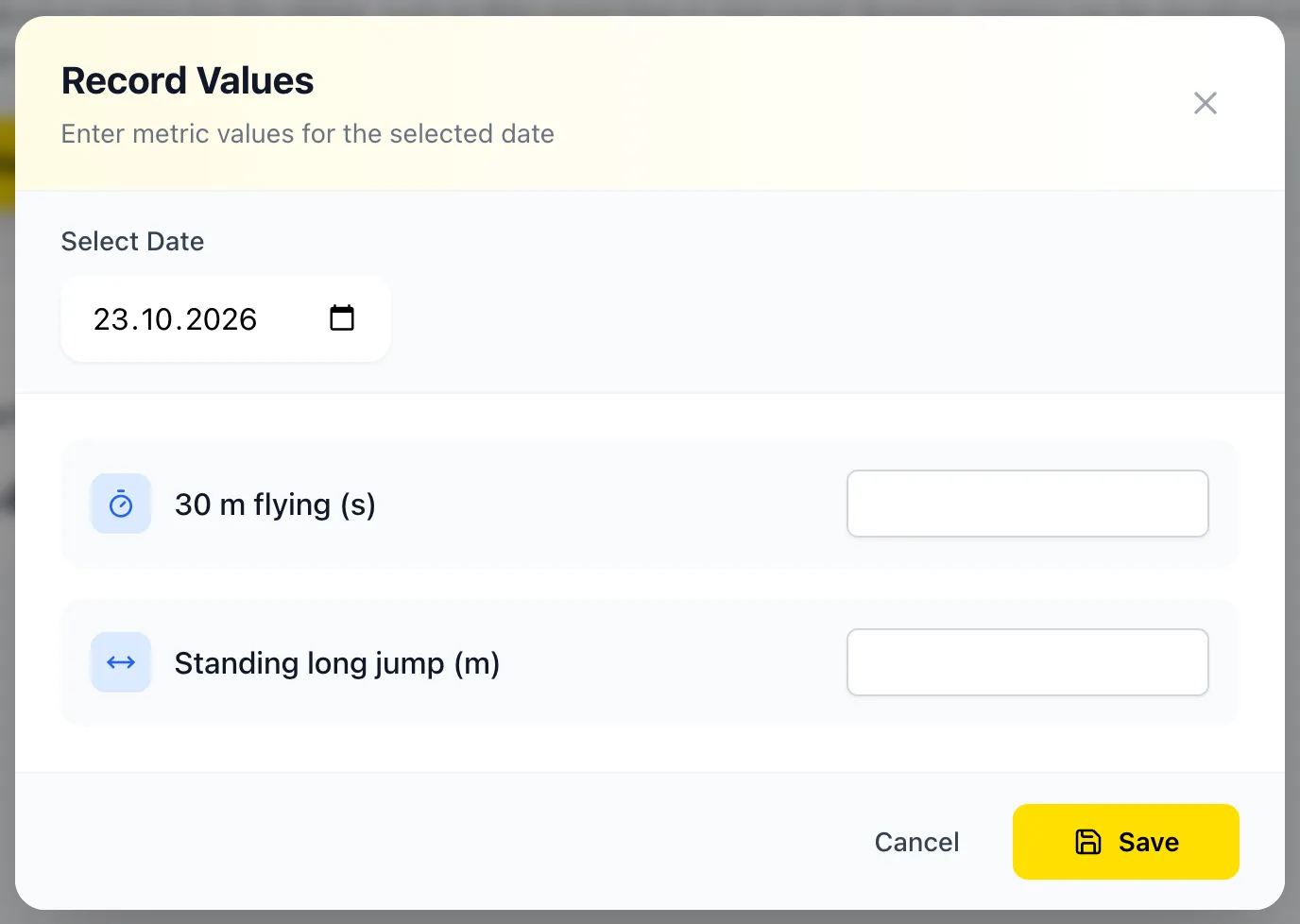
Enter results
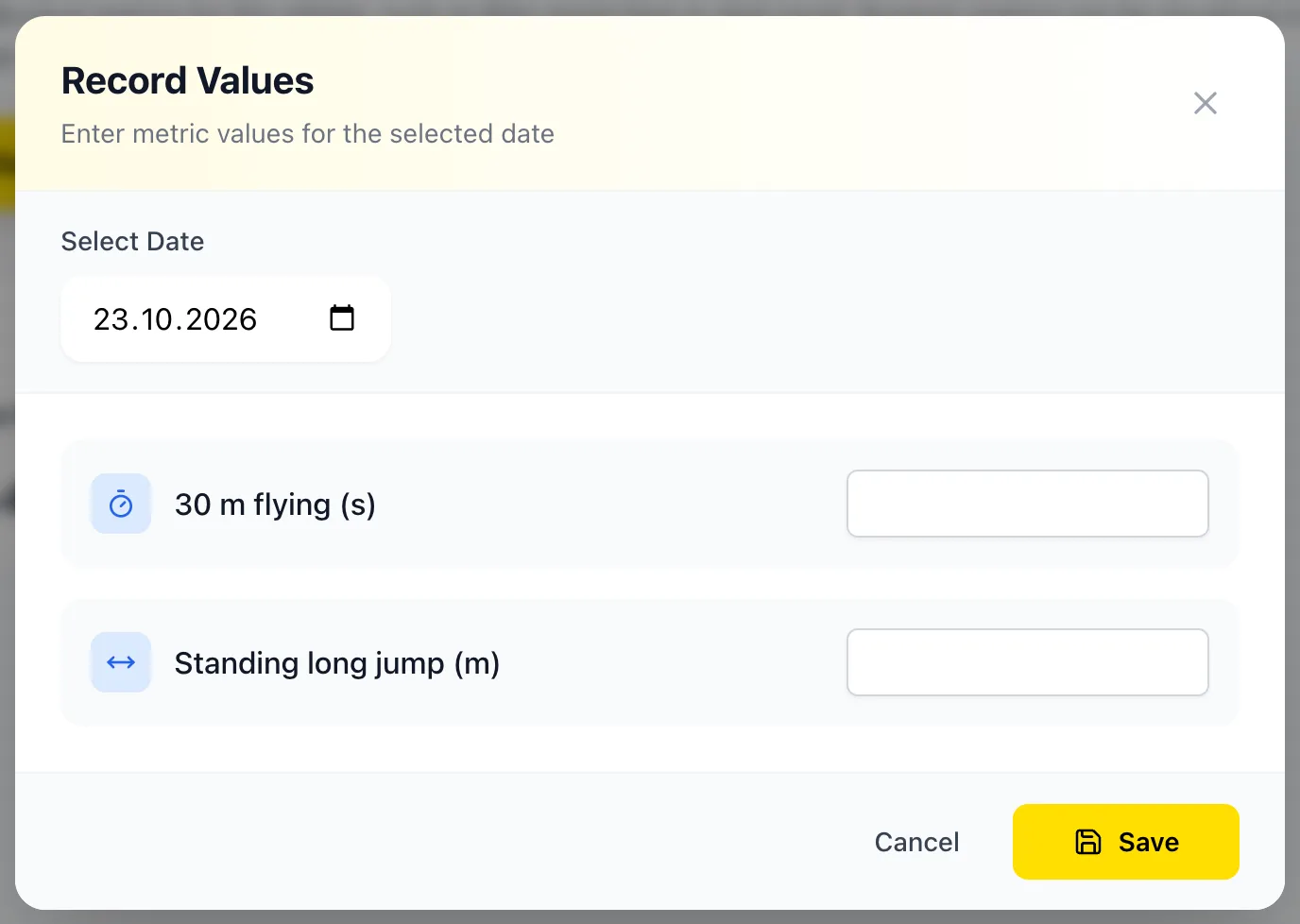
Choose an athlete and click Record Values. Pick the date and enter the results. Athletes can also enter them themselves in their training journal.
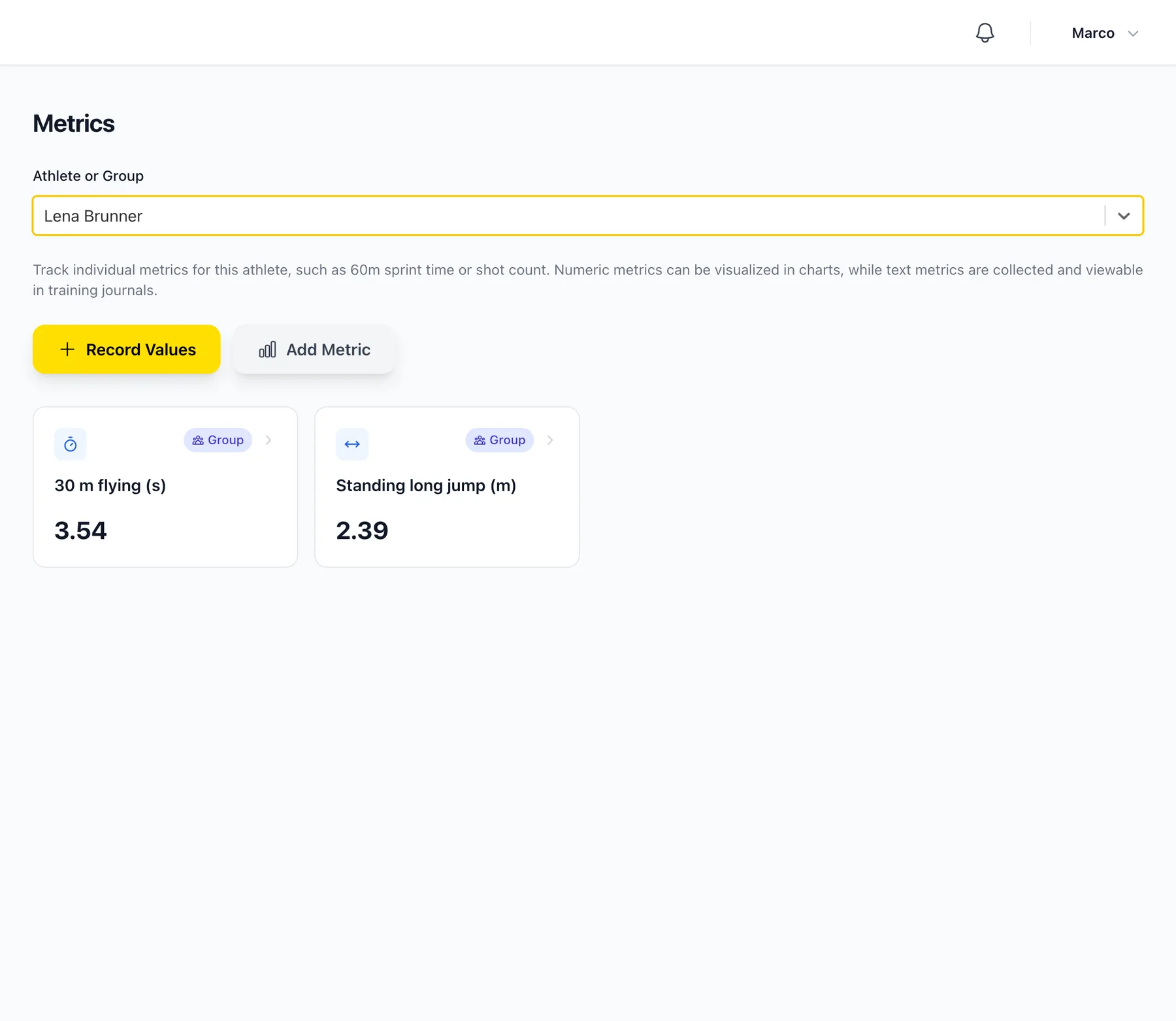
See the progress
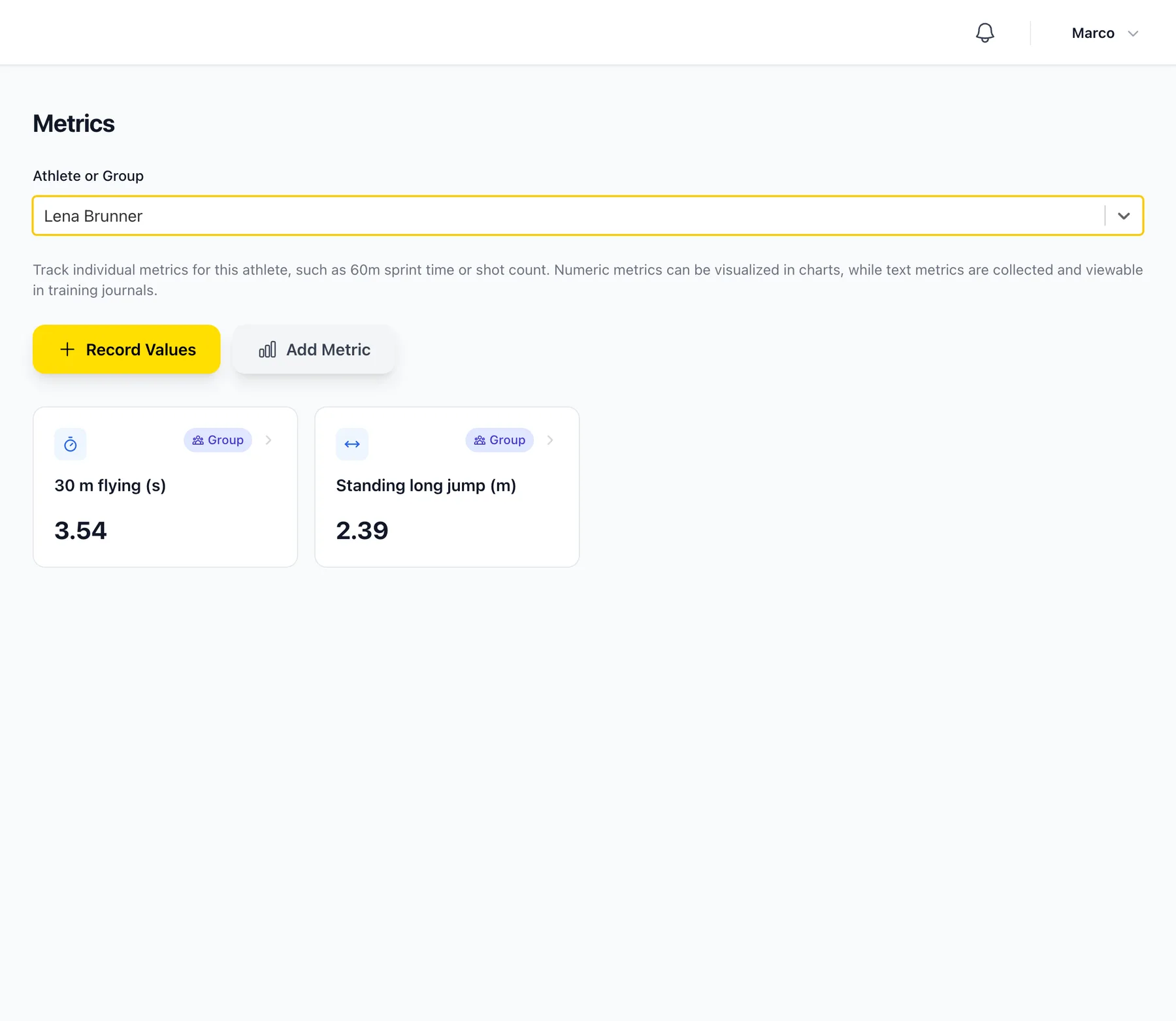
For each athlete you'll see their latest result for each metric. Click a metric for a chart and a table of all entries.
Didn’t find what you were looking for?
Send us an email. We usually reply the same day.