Coaches · 2 min
Analytics and CSV export
Look at sleep, load, energy and heart rate over time, and export the data to Excel.
Updated October 23, 2026
The journal tells you how yesterday went. Insights → Analytics shows you how things are developing over weeks, so you can see trends before they turn into problems.
Choose an athlete and a period
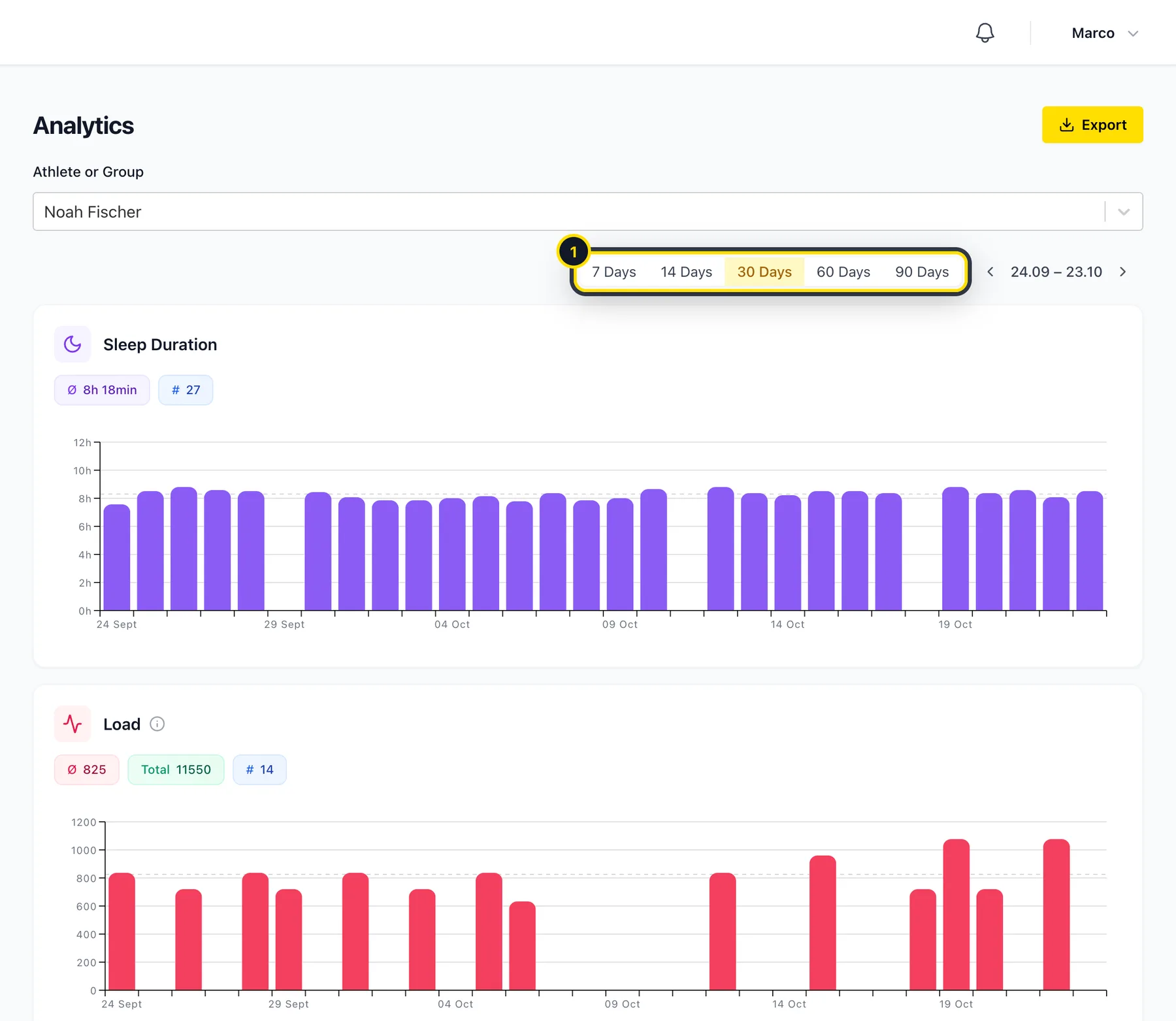
Pick an athlete or a group, then how far back you want to look (1): 7, 14, 30, 60 or 90 days. Use the arrows to go further back.
Read the charts
You'll find charts for sleep, load and ACWR, mental and physical energy, weight, resting heart rate and HRV. Each one shows the average for the period and how many entries it's based on.
Export the data
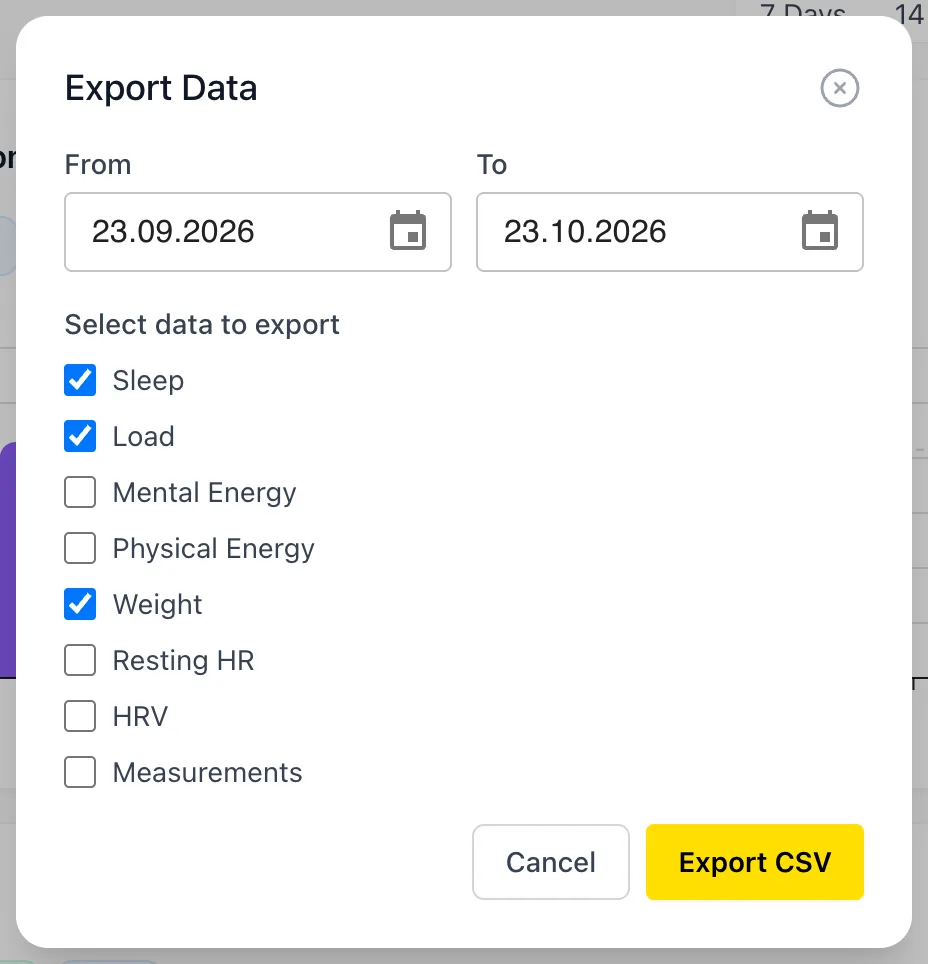
Need the numbers somewhere else? Click Export, choose the dates and the data you want, then click Export CSV. The file opens in Excel, Numbers or Google Sheets.
Didn’t find what you were looking for?
Send us an email. We usually reply the same day.