Coaches · 2 min
Read your coach dashboard
Check before training how everyone feels, who reported pain and who has been training harder than usual.
Updated October 23, 2026
Your dashboard (Home) is the quickest way to check on your group before a session. There's one row per athlete, filled from their morning journal and the feedback they give after training.
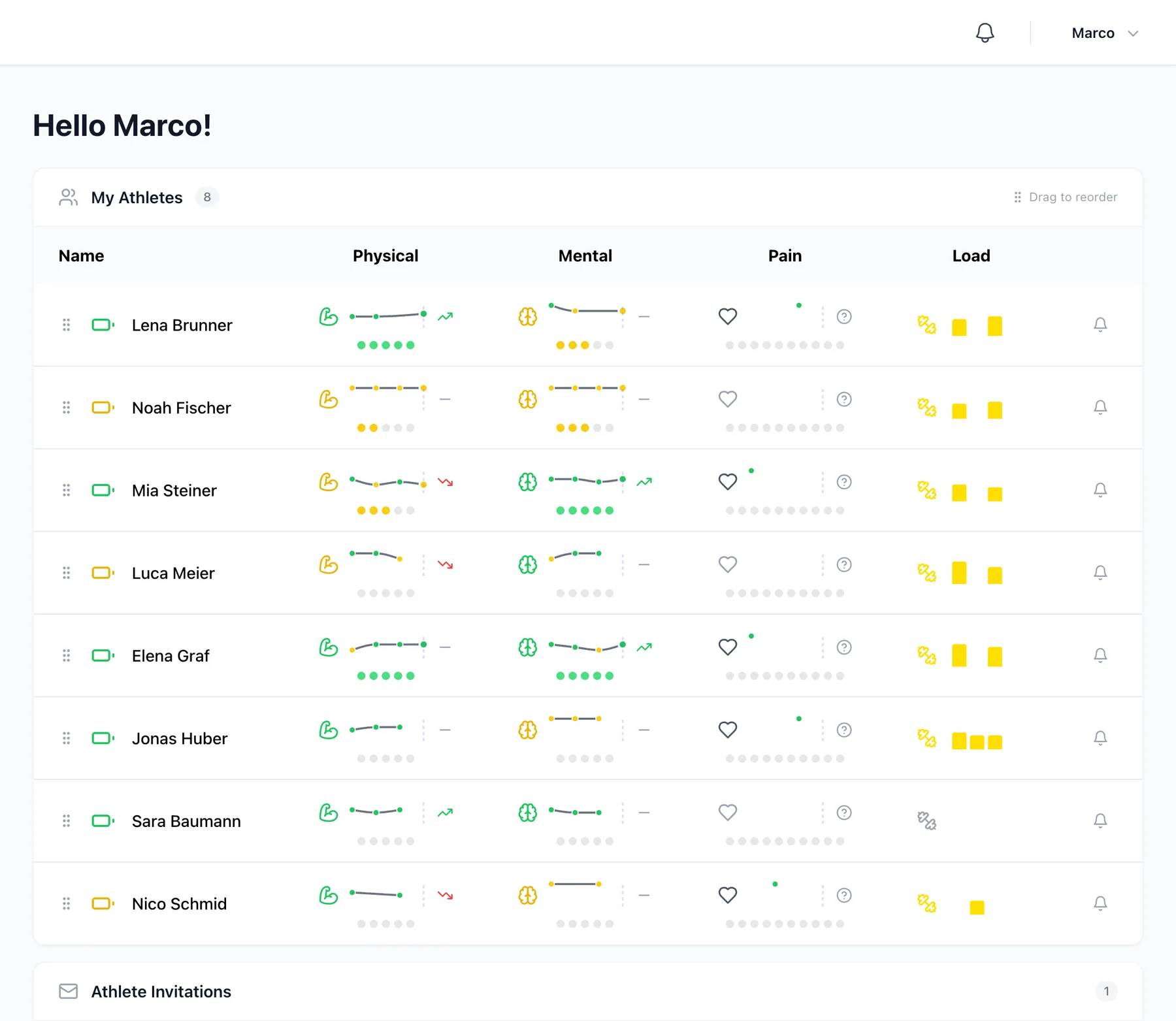
| Column | What it tells you |
|---|---|
| Physical and Mental | How fit and how motivated the athlete feels, from 1 (exhausted) to 5 (top fit). The line shows the last few days and the arrow shows where it's heading. |
| Pain | Whether the athlete reported pain recently. |
| Load | How hard their last sessions were. More on that in Training load and ACWR. |
| Bell | Sends the athlete a reminder to fill in their journal. |
Look at one athlete in detail
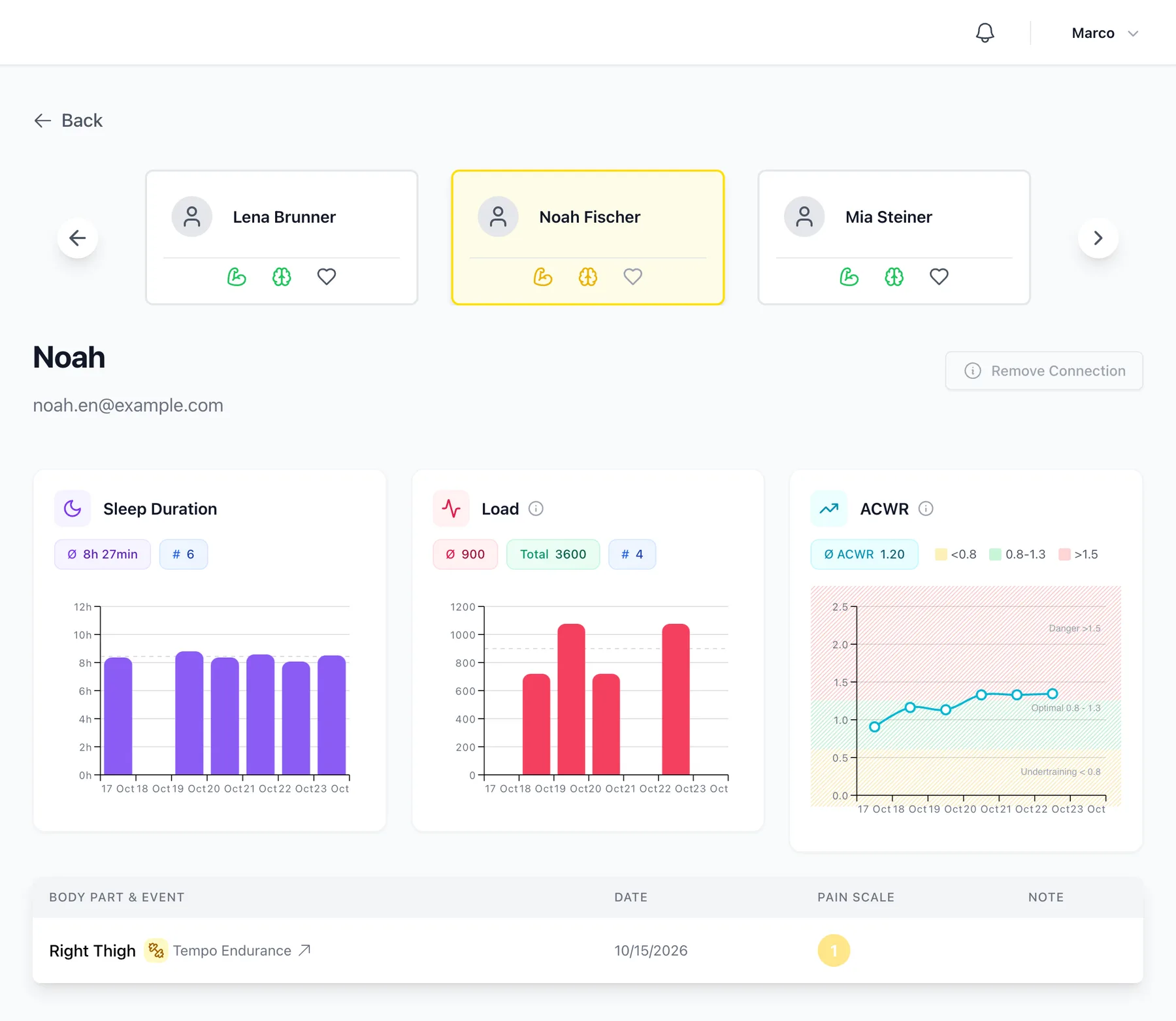
Click a name to open the athlete. You'll see their sleep, energy, load and ACWR over the last few weeks, any pain they reported and what's planned next.
Remind athletes about their journal
If someone hasn't filled in their journal, click the bell at the end of their row and then Send Reminder. They'll get a push notification on their phone, or an email if they don't use the app.

You can drag athletes up and down using the handle on the left. Put the ones you check most often at the top. Athlog remembers the order.
Didn’t find what you were looking for?
Send us an email. We usually reply the same day.