Coaches · 2 min
Set goals for your athletes
Give each athlete something to work towards and see at a glance who doesn’t have a goal yet.
Updated October 23, 2026
A goal gives a training block a clear direction, for example Sub-60 s in the 400 m hurdles by the championships. You and your athlete both see it in the training plan, which helps keep the bigger picture in mind from week to week.
Open Goals
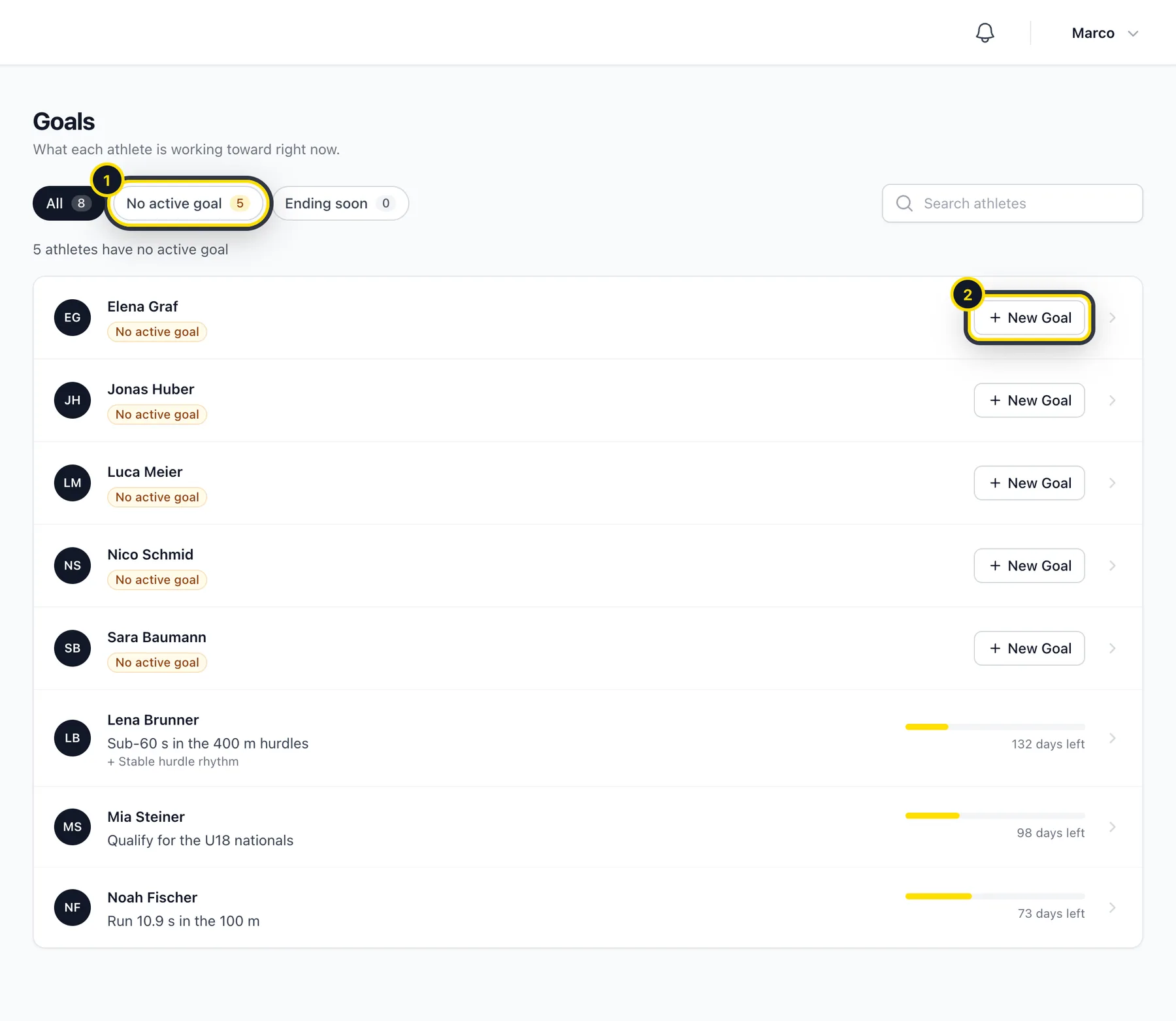
Go to Training → Goals. You'll see each athlete with their current goal. The filters (1) show you who doesn't have an active goal or whose goal is ending soon. Click New Goal (2) next to an athlete.
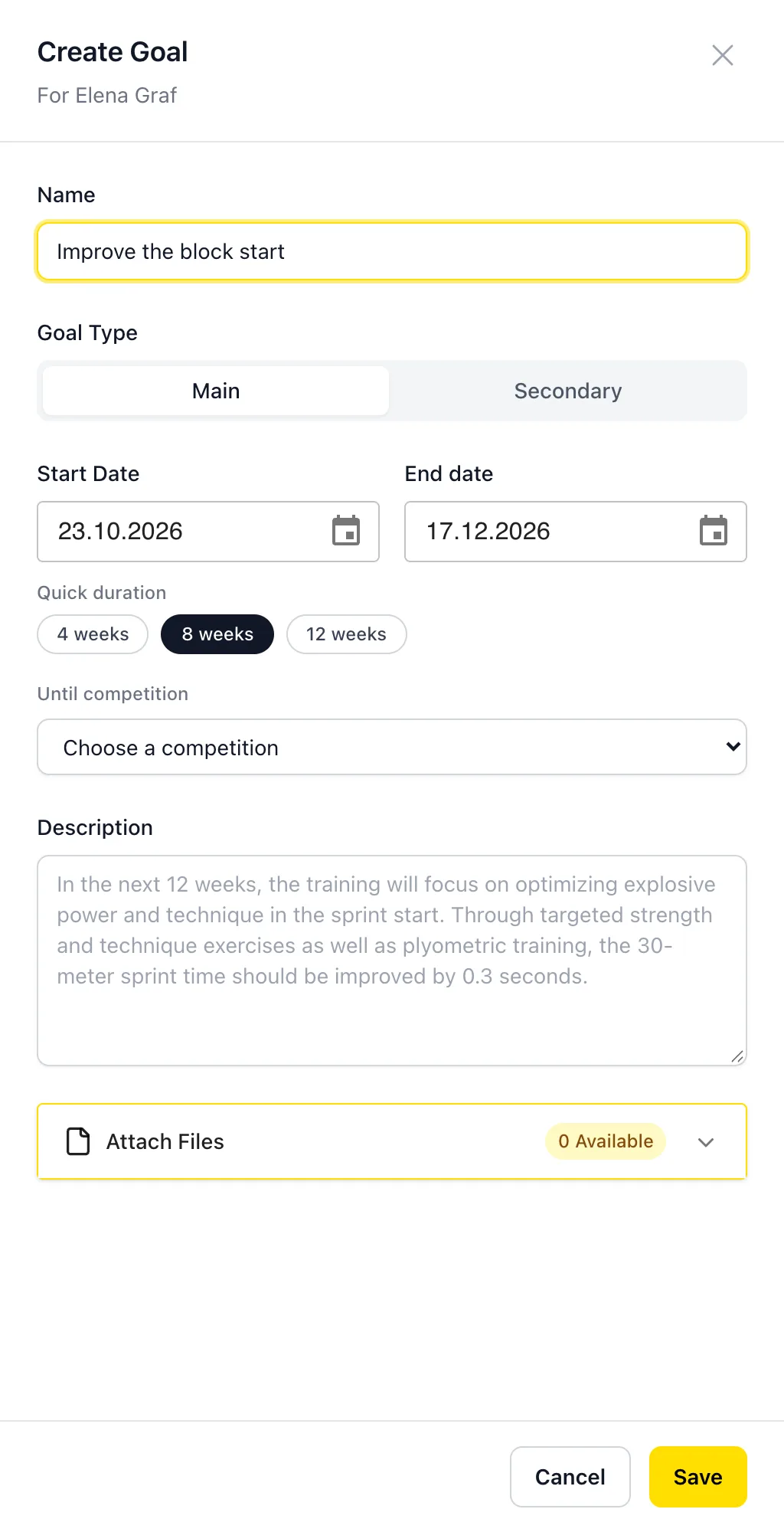
Describe the goal
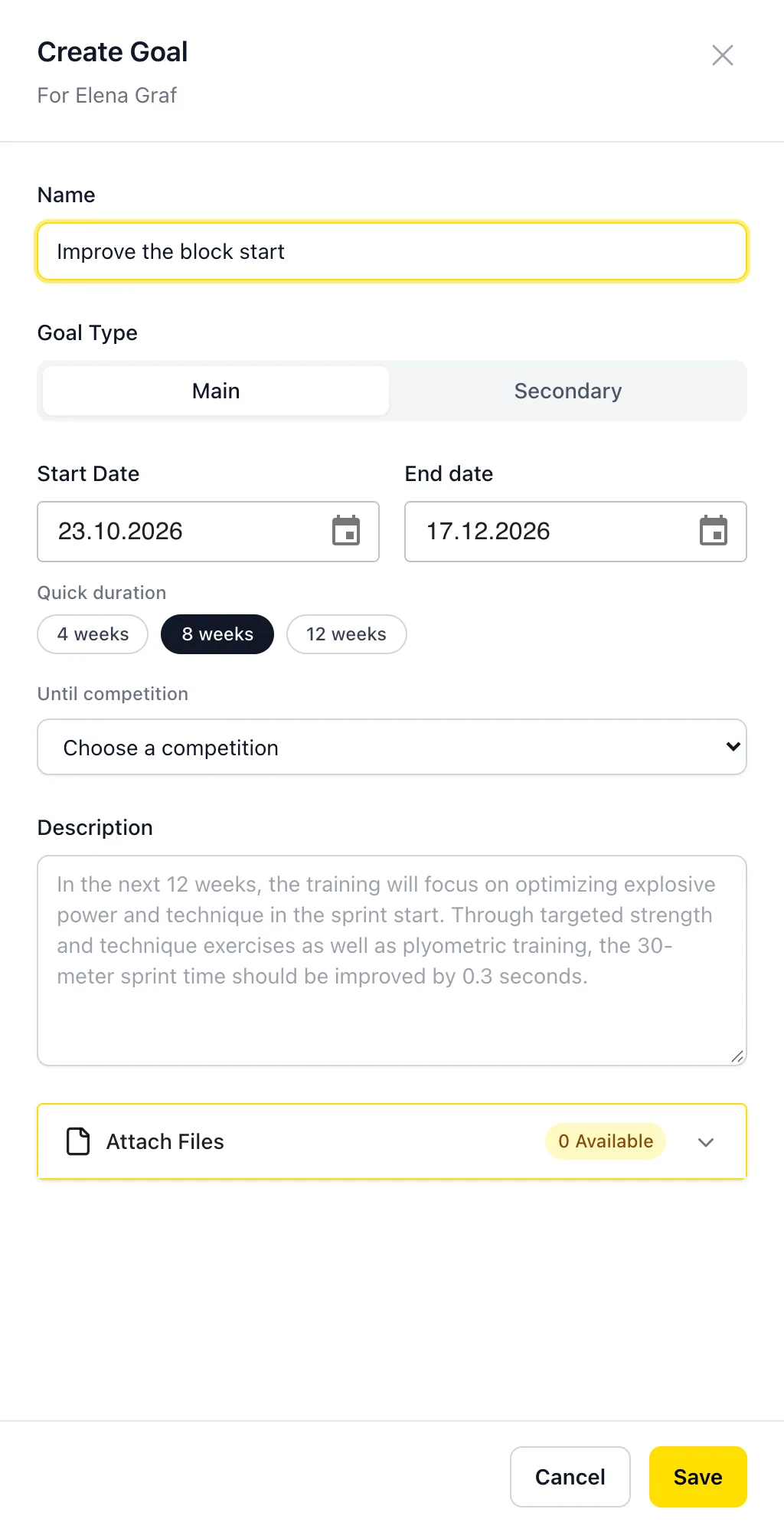
Give it a name and choose whether it's the Main goal or a Secondary one. Set a start and end date, or pick a quick option: 4, 8 or 12 weeks, or Until competition to end it on a competition you've planned. You can add a description and files too.
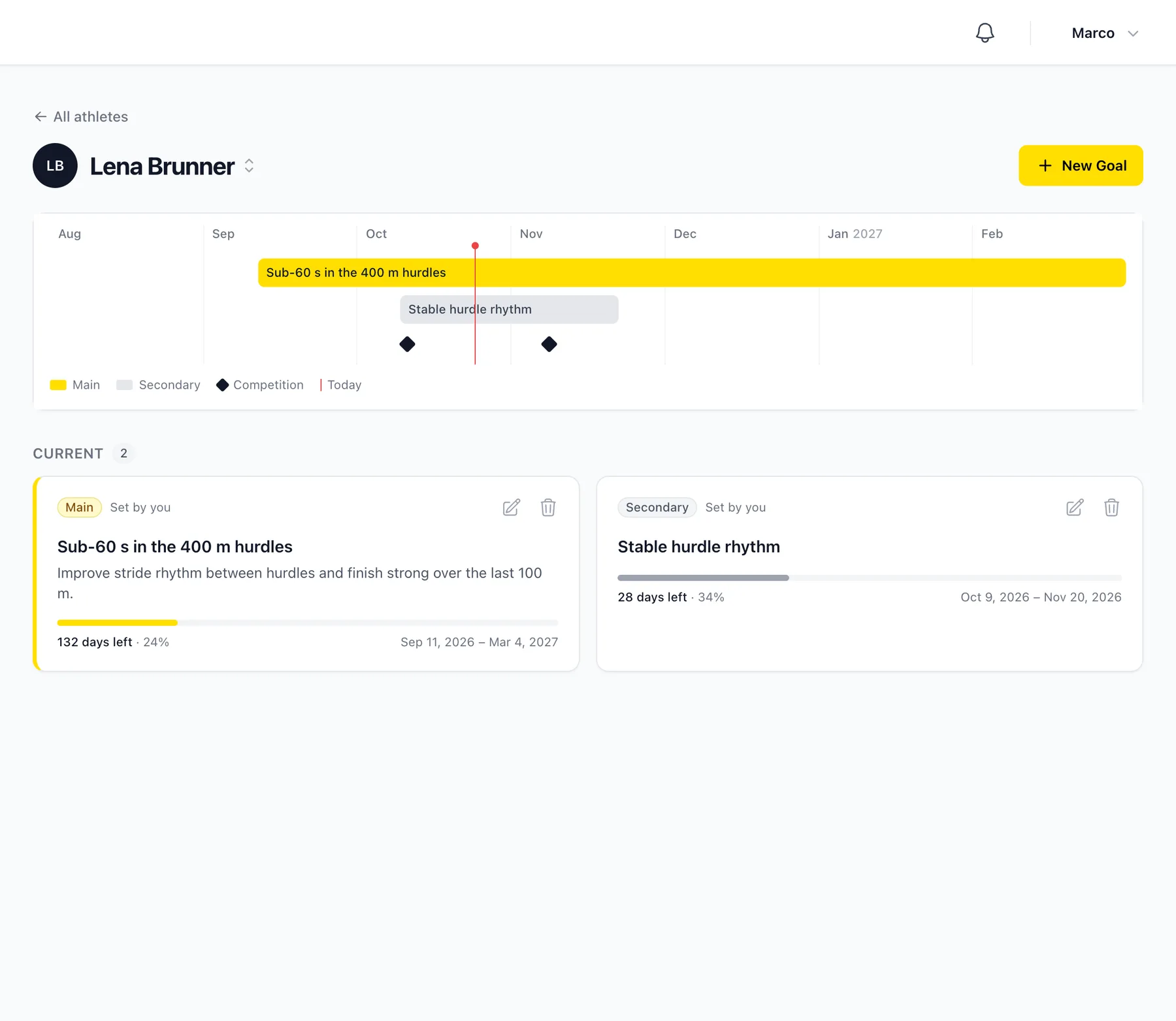
Follow the timeline
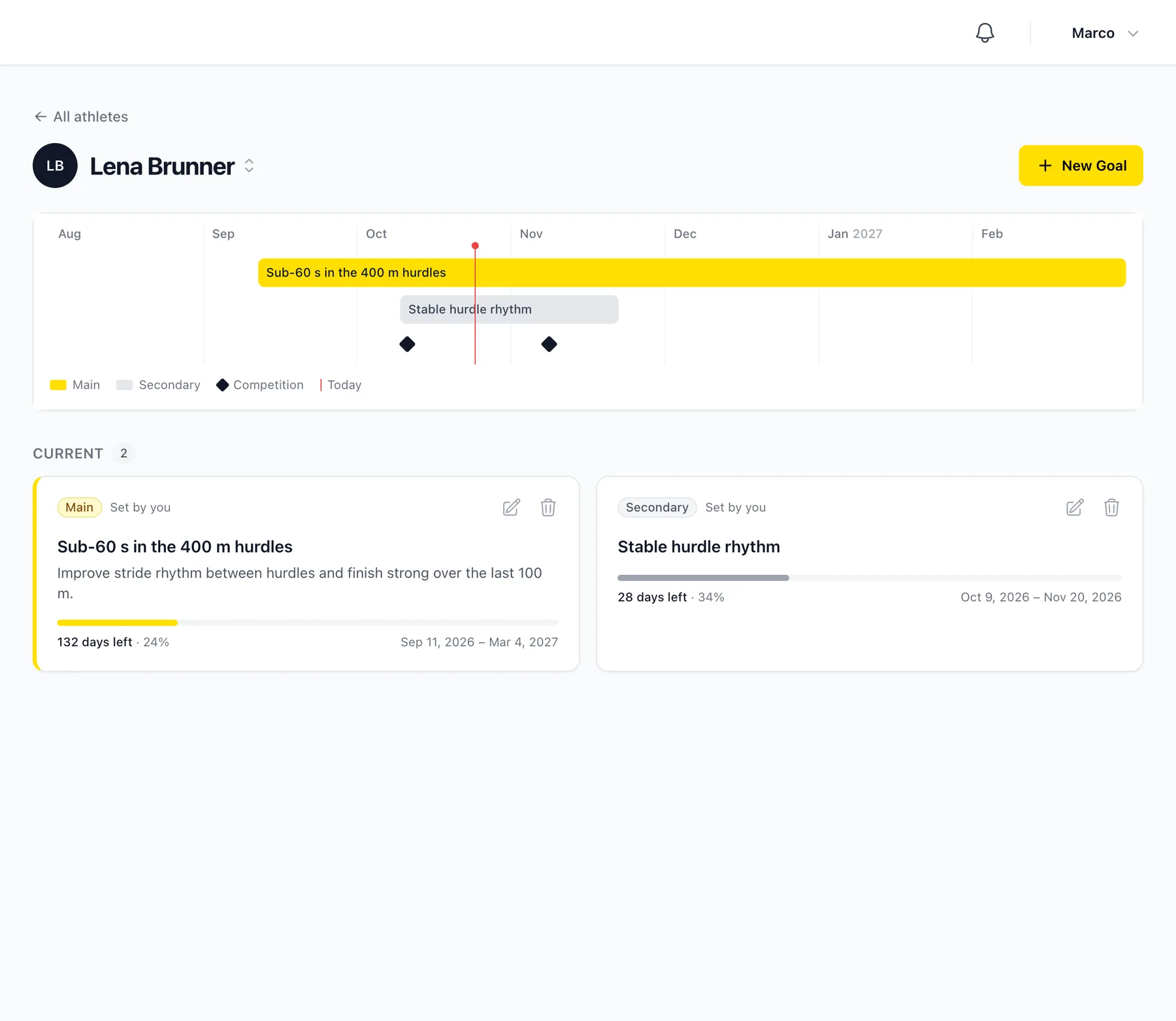
Click an athlete to see all their goals on a timeline, along with today's date and the competitions coming up.
Didn’t find what you were looking for?
Send us an email. We usually reply the same day.