Coaches · 4 min
Build workouts
Create workouts with exercises, sets and targets that your athletes can follow and log in the app.
Updated October 23, 2026
A text description is fine for a lot of sessions. But for strength work, or anything where the numbers matter, a structured workout is better. Athletes see exactly which exercises, sets, reps and weights you planned, log what they actually did, and you get it all back.
Your exercise library
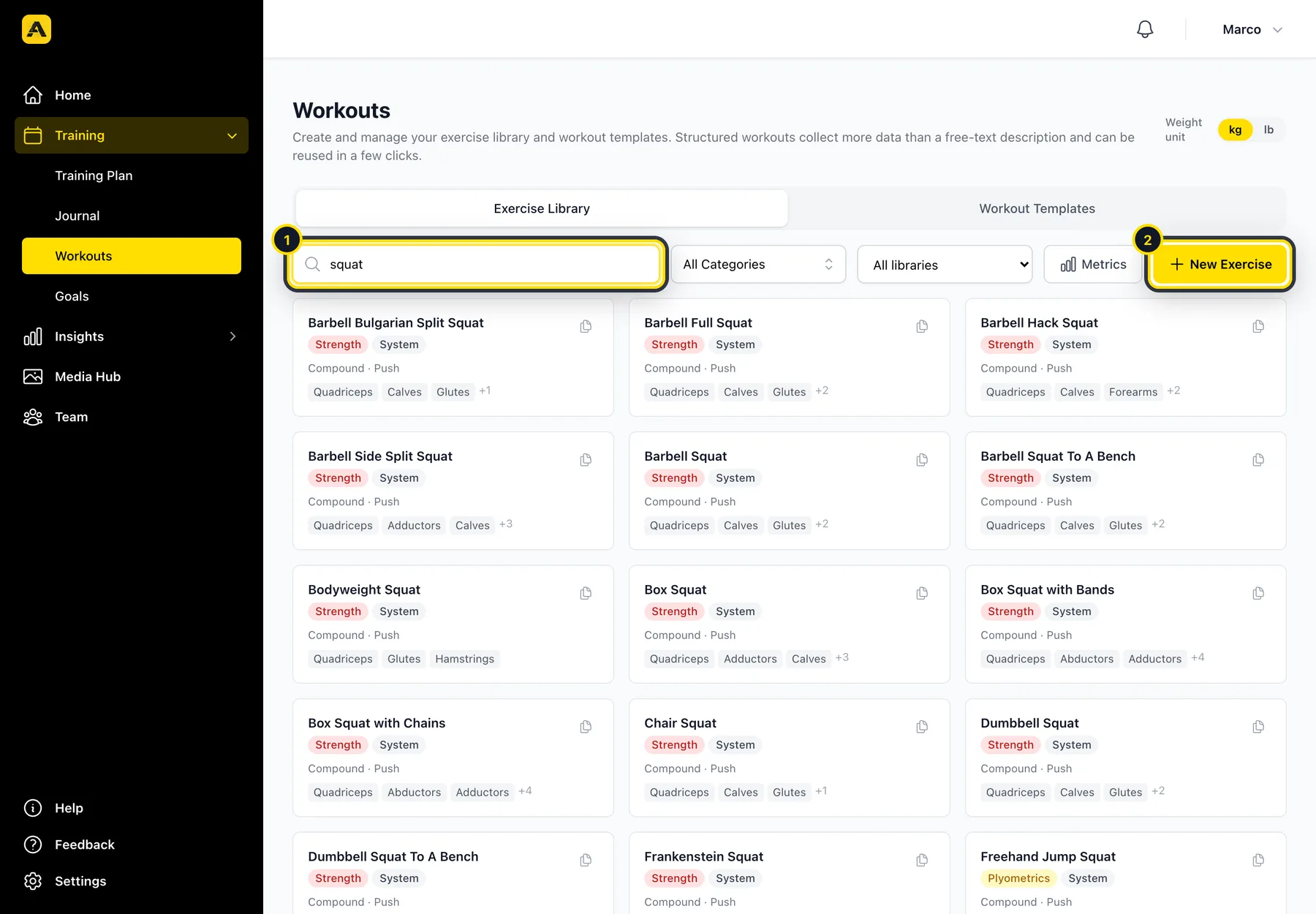
Go to Training → Workouts → Exercise Library. It already has more than 860 exercises in English, German and French. You can search it (1) or add your own exercises with New Exercise (2), for example Flying 30 m or A-Skips.
Build a workout
Create a new workout
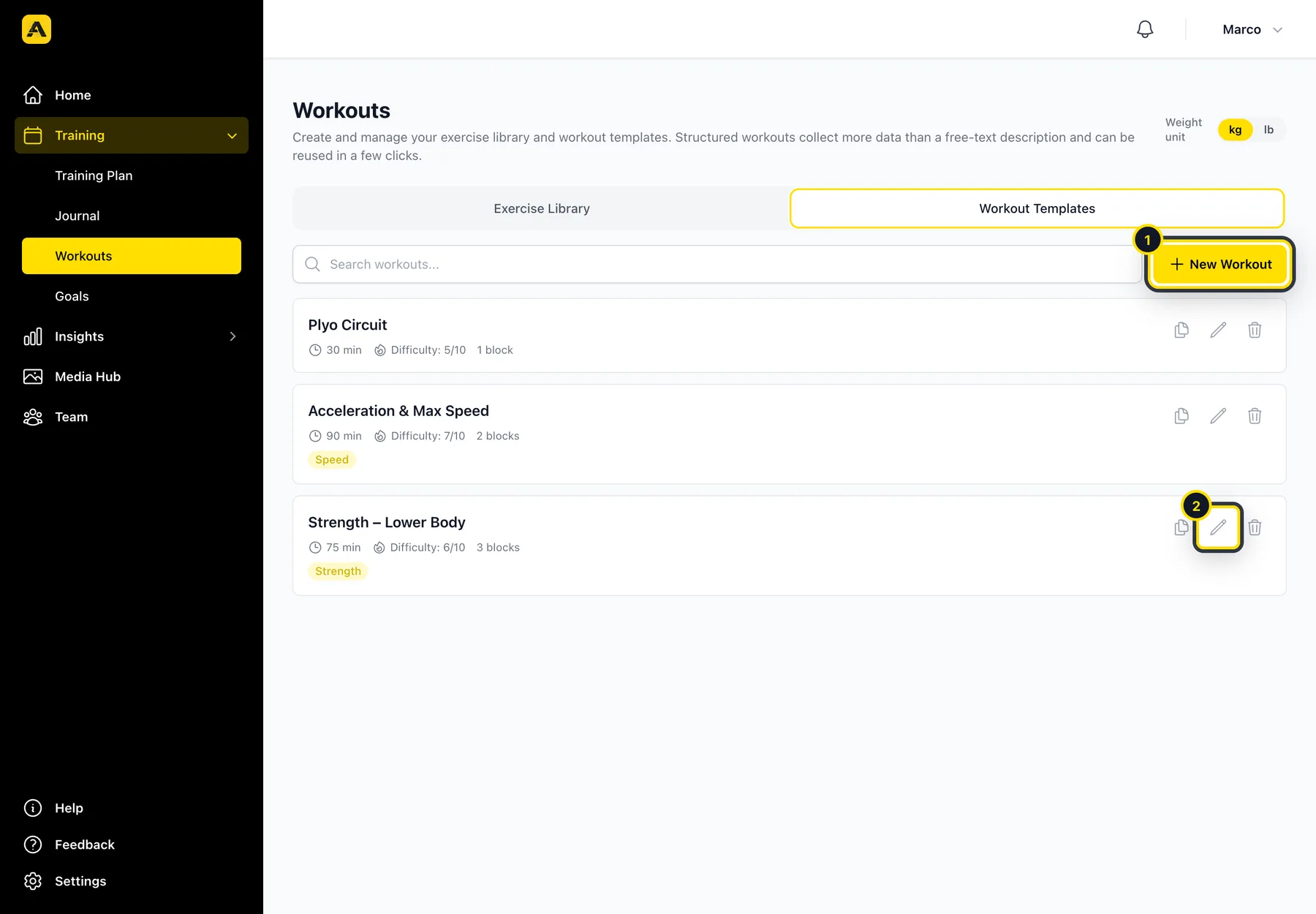
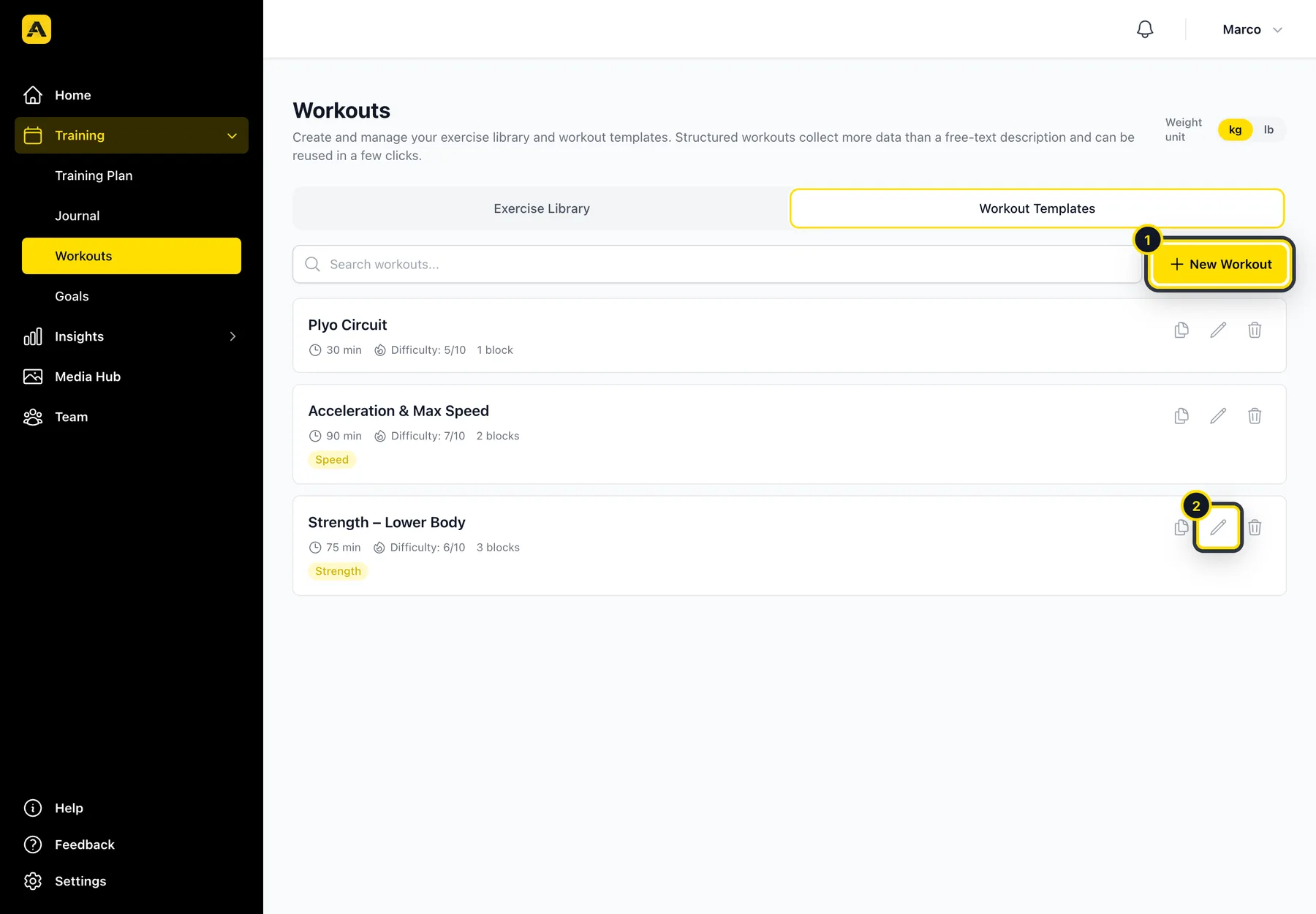
Switch to Workout Templates and click New Workout (1). To change an existing workout, click its pencil (2).
Add the basics
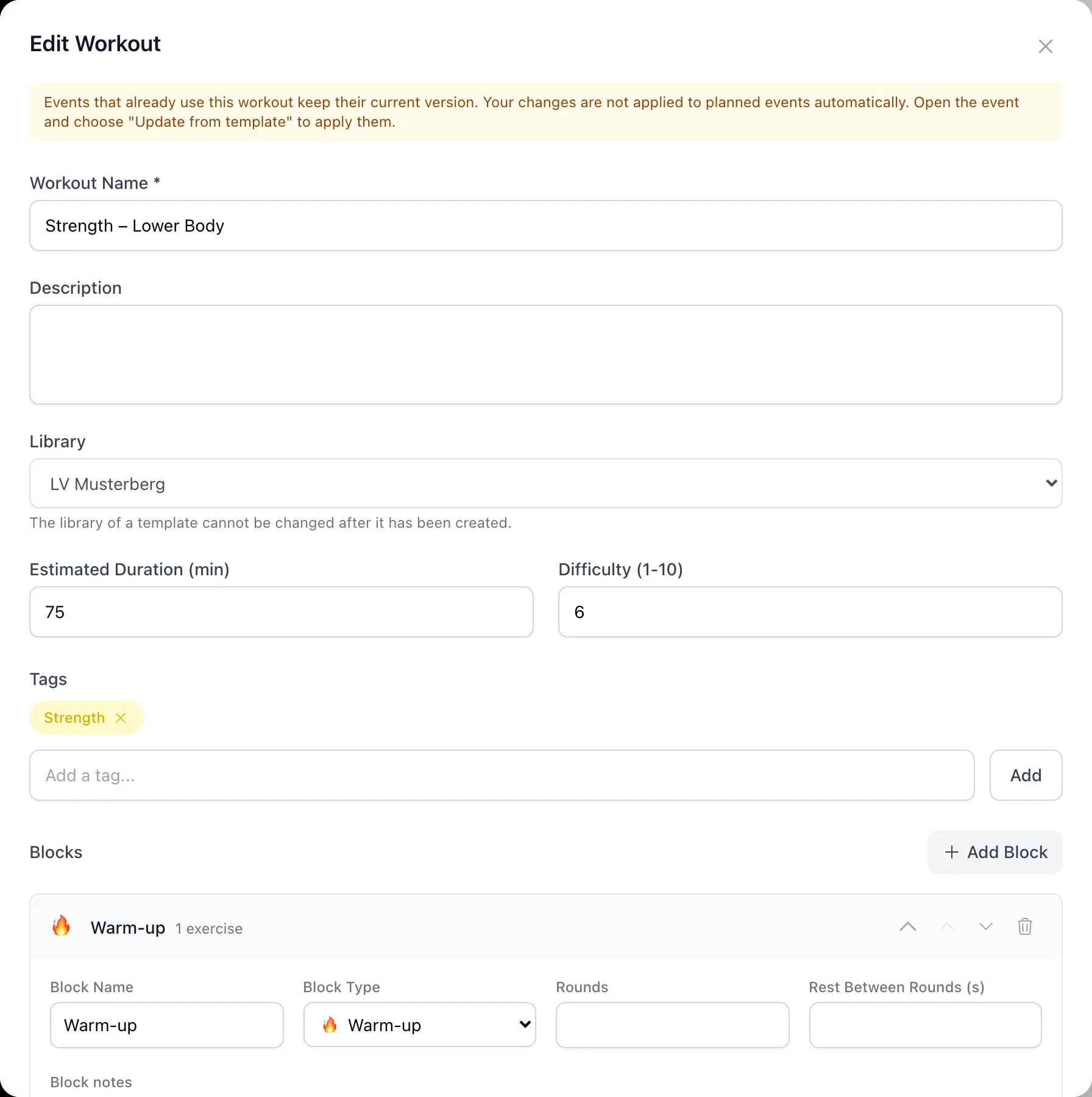
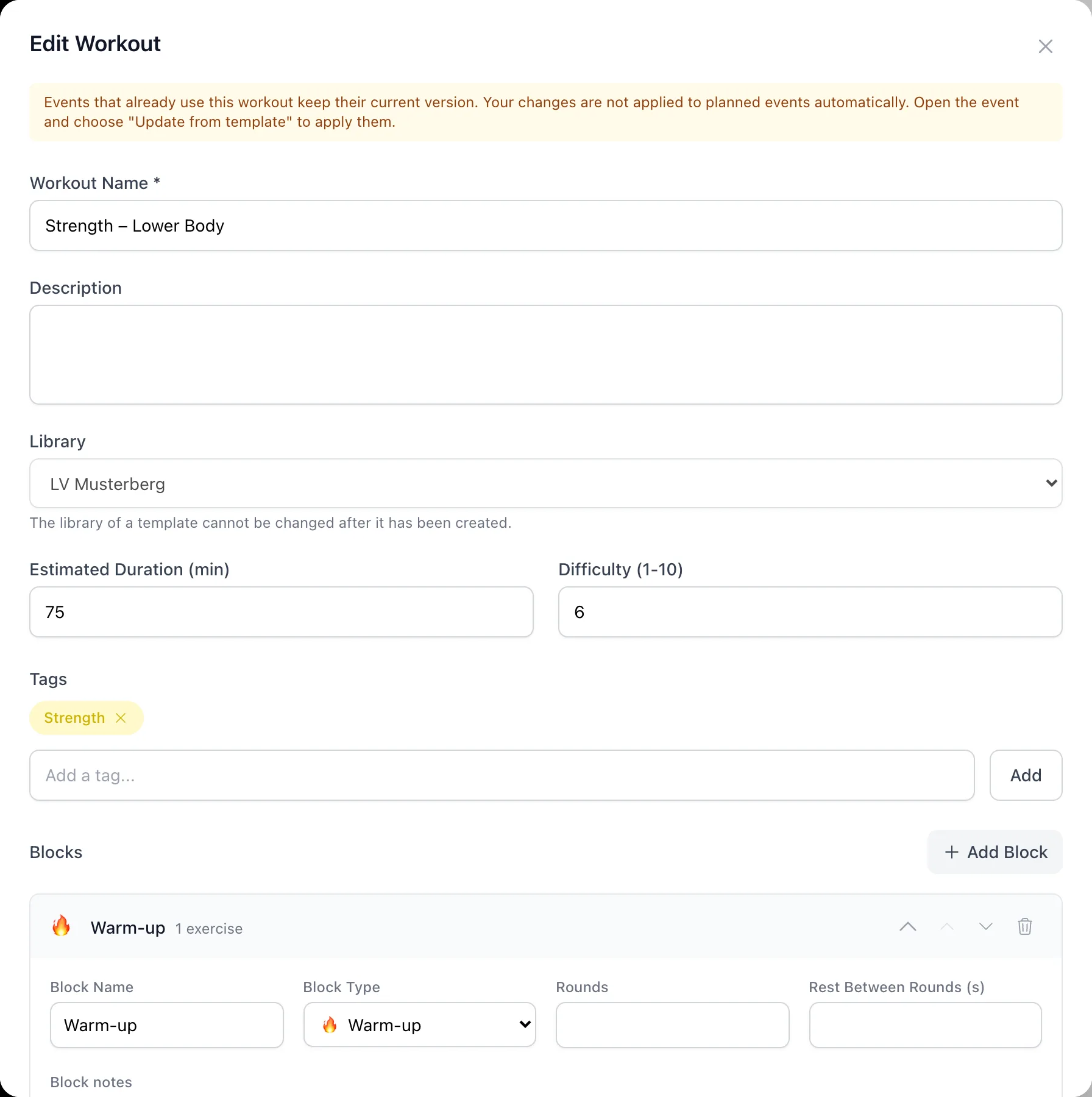
Give it a name, an estimated duration, a difficulty and a few tags. Under Library, choose whether it's just for you or for your whole club. Club workouts can be used by every coach in the club.
Add blocks and exercises
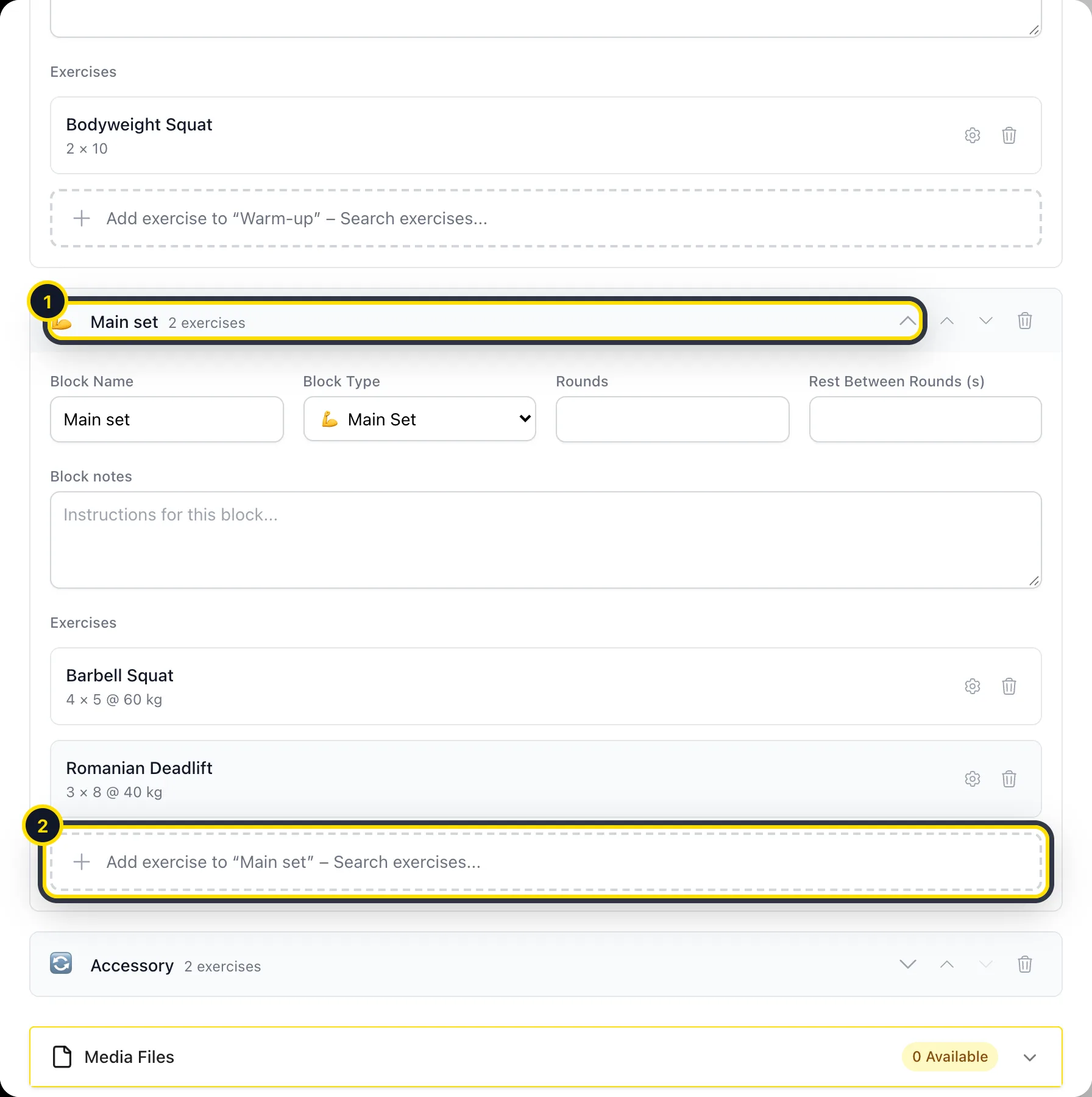
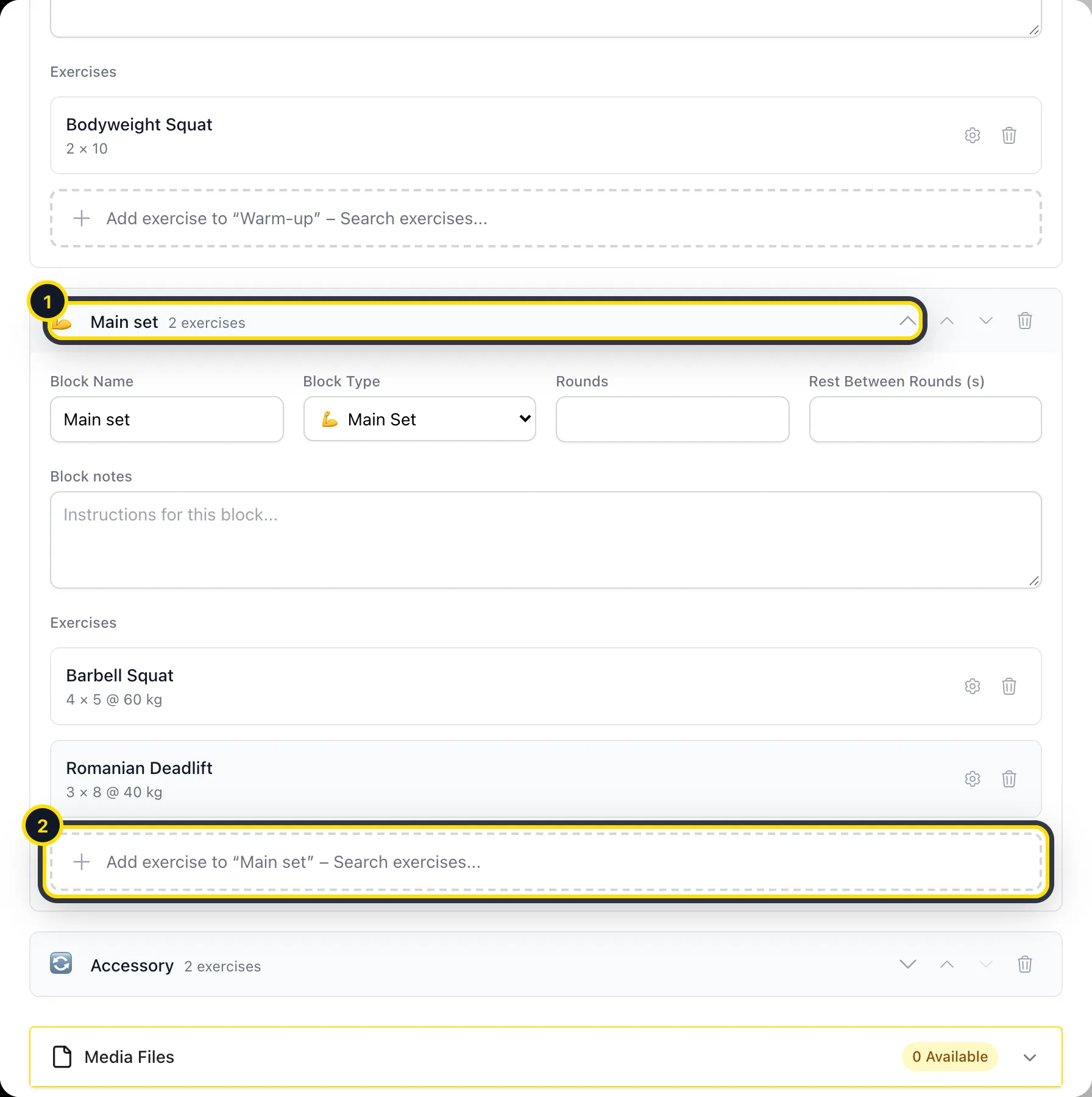
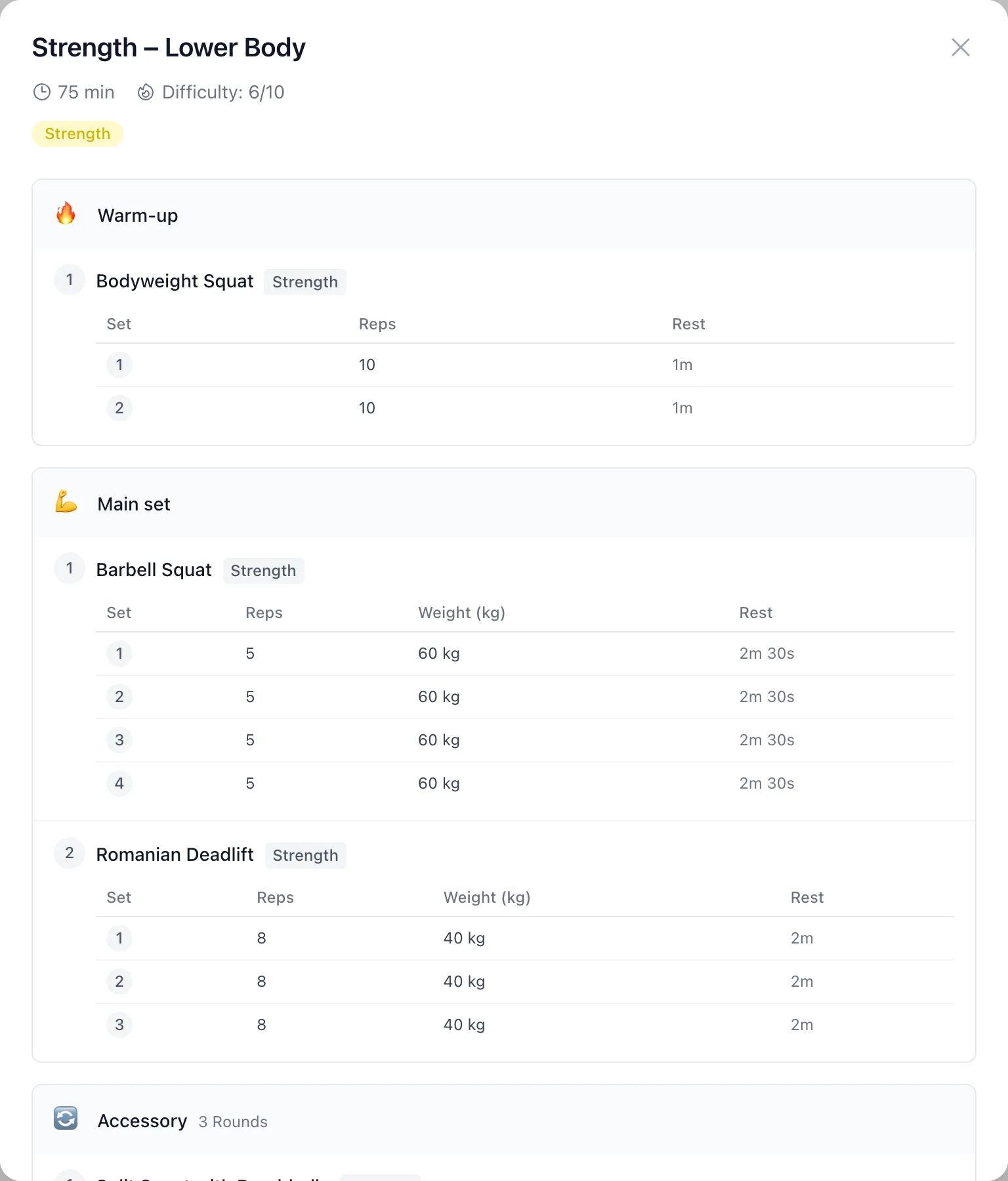
A workout is made of blocks, such as a warm-up, a main set or a circuit. Click Add Block, open the block (1) and add exercises from your library (2). Then set the sets and targets for each exercise. For circuits and supersets, also set the number of rounds.
Save and check it
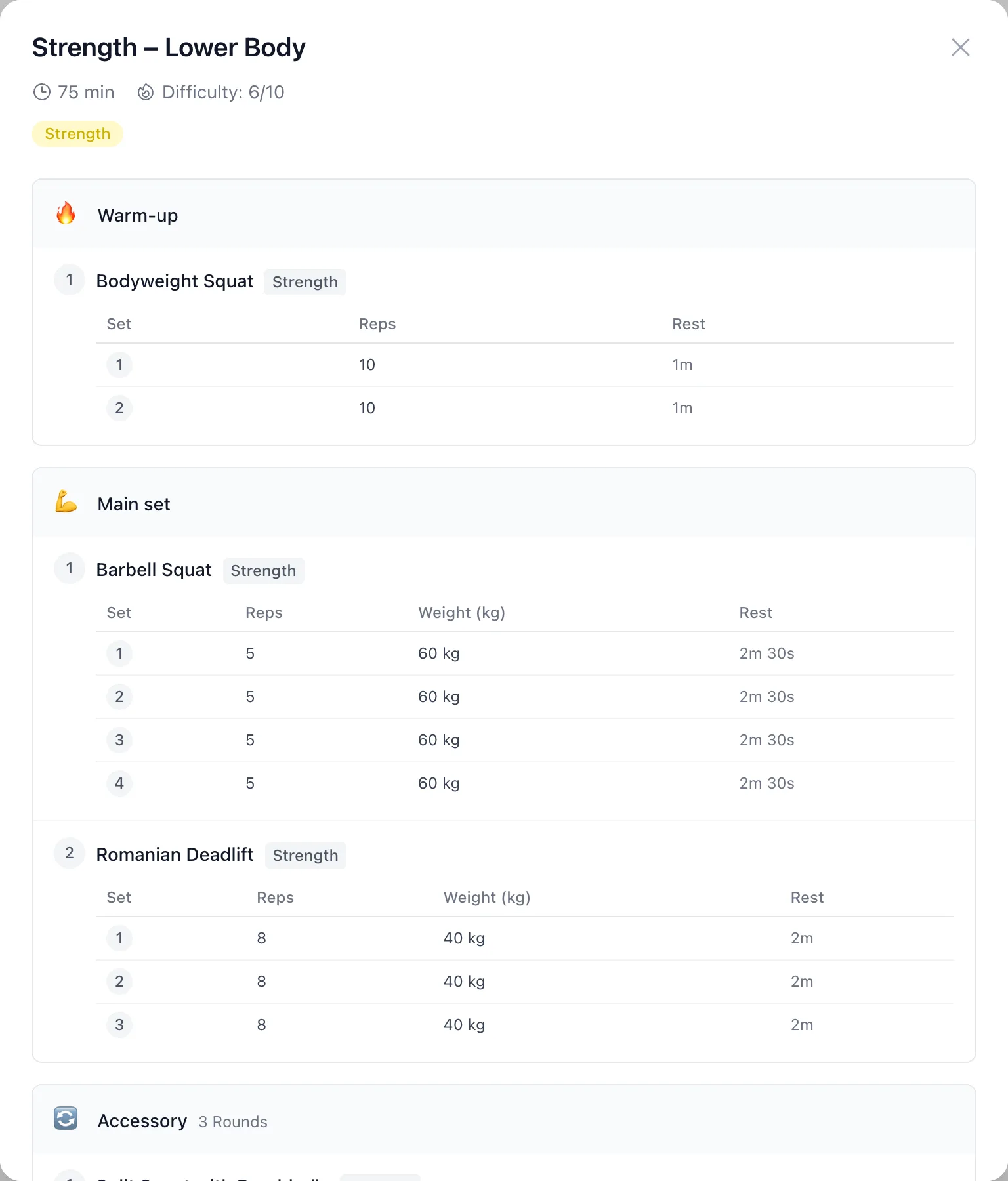
After saving, click the workout's name to see it the way your athletes will.
Use a workout in a session
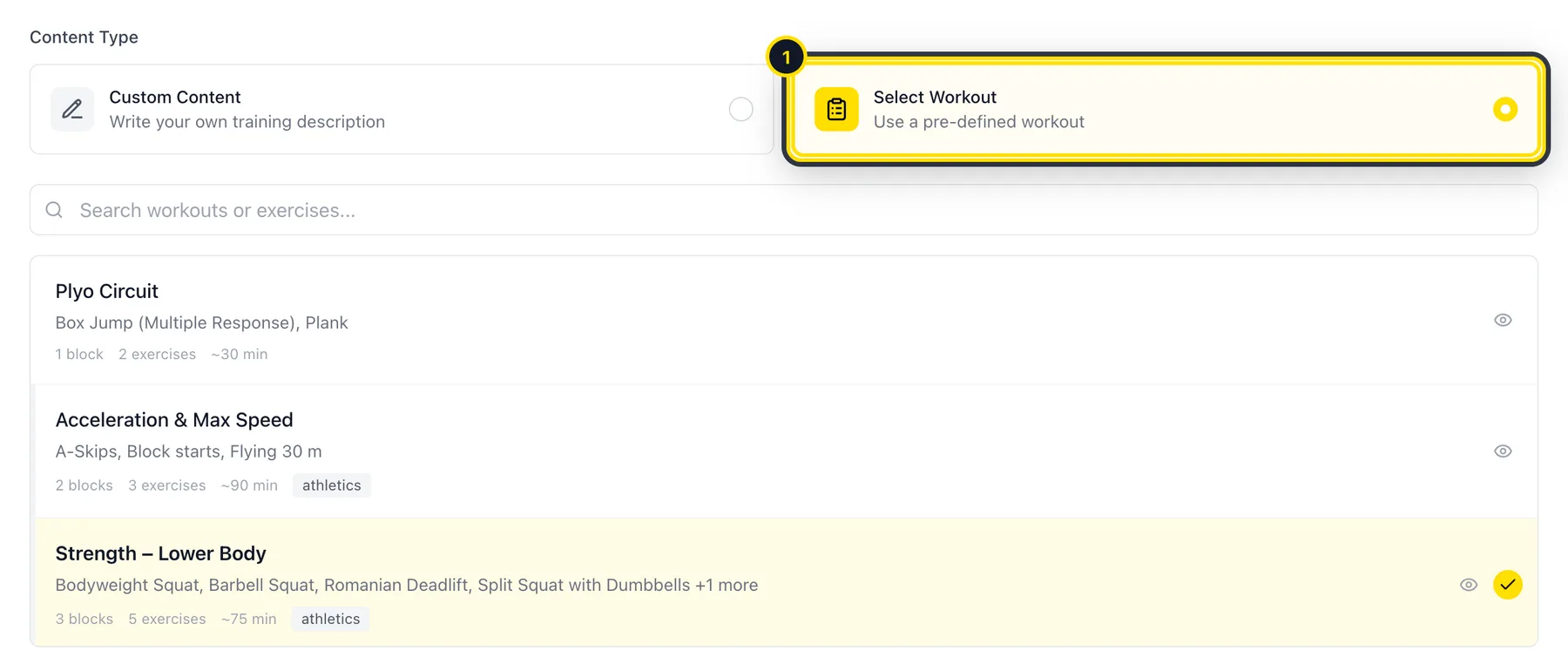
When you plan a session, choose Select Workout (1) and pick the workout from the list. Each athlete gets their own copy and logs their sets in the Athlog app.
Didn’t find what you were looking for?
Send us an email. We usually reply the same day.