Coaches · 2 min
Create training groups
Put athletes who train together into a group, so you only have to plan each session once.
Updated October 23, 2026
Most coaches plan for groups, not for single athletes. Create a group like U18 Sprint & Hurdles once, and every session you plan for it shows up for all of its members.
Open Team
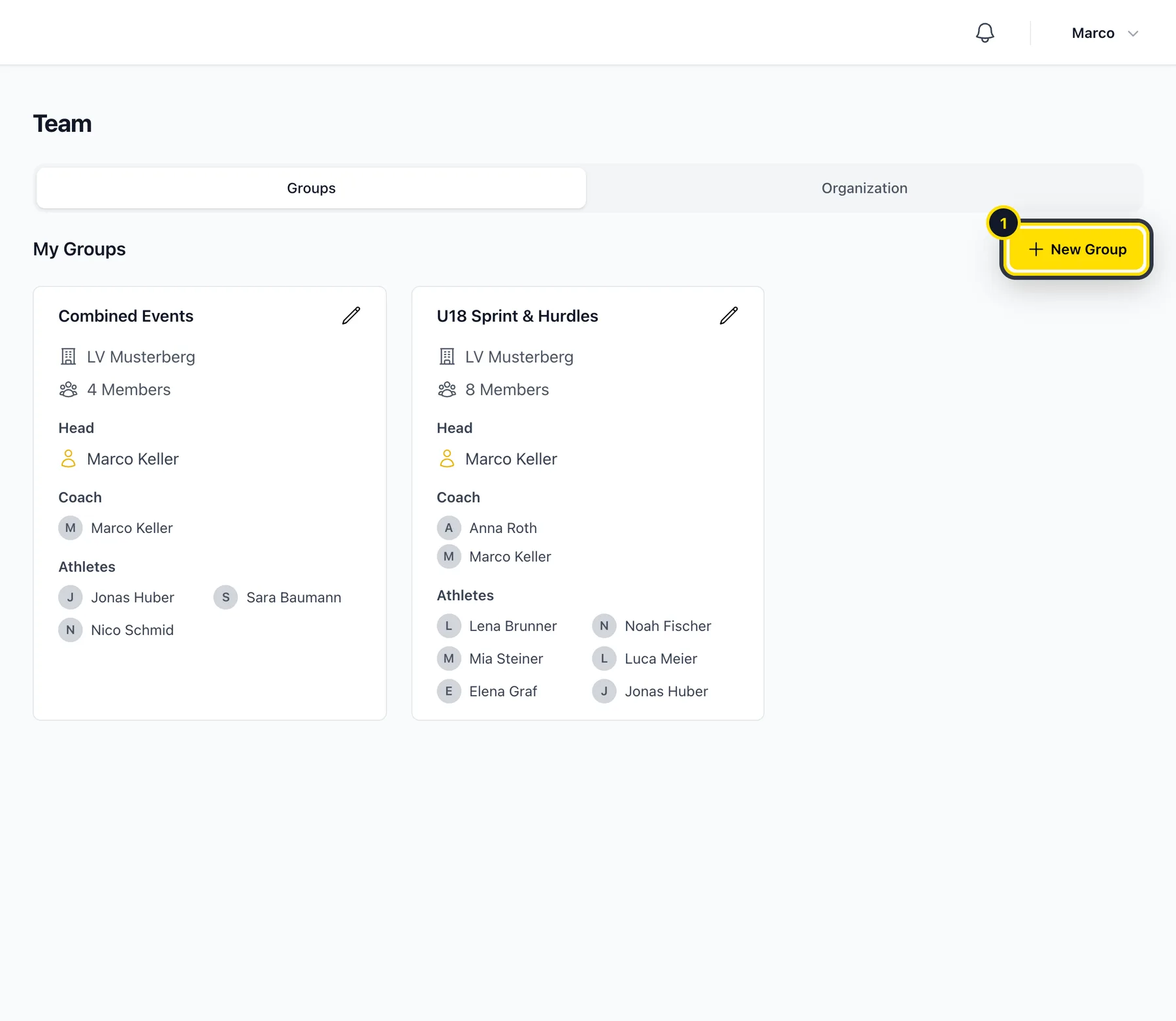
Go to Team → Groups. You'll see all the groups you lead or coach in. Click New Group (1).
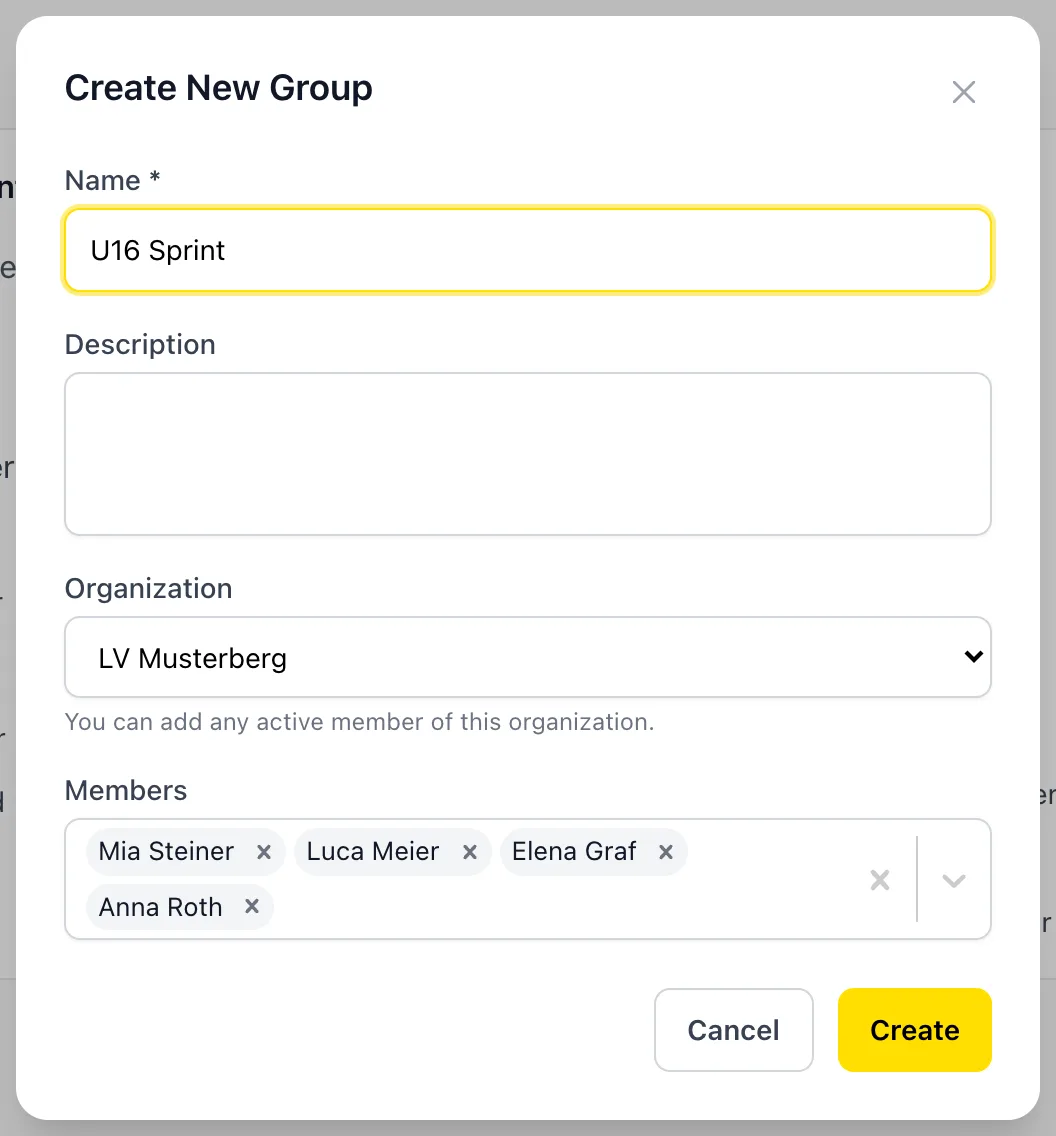
Add a name and members
You can add any athlete you're connected with. If your club uses Athlog, you can also add other coaches from your club, so you can share the planning.
Create the group
Click Create. From now on you can pick the group wherever you see Athlete or Group: in the training plan, the journal, analytics and metrics.
Good to know
- Whoever creates the group is its head. Other coaches in the group can plan for it too.
- If you add someone later, they automatically get all the group's upcoming sessions.
- To change or delete a group, click the pencil on its card. Deleting a group doesn't delete any athletes or their journal entries.
Didn’t find what you were looking for?
Send us an email. We usually reply the same day.