Athletes · 2 min
Track your own measurements
For athletes: add things like your 60 m time to your training journal and watch them improve.
Updated October 23, 2026
Want to keep track of something specific, like your 60 m time or how many throws you did? You can add your own measurements to your training journal. Your coach can also set them up for your whole group (see Track performance metrics).
Open Settings
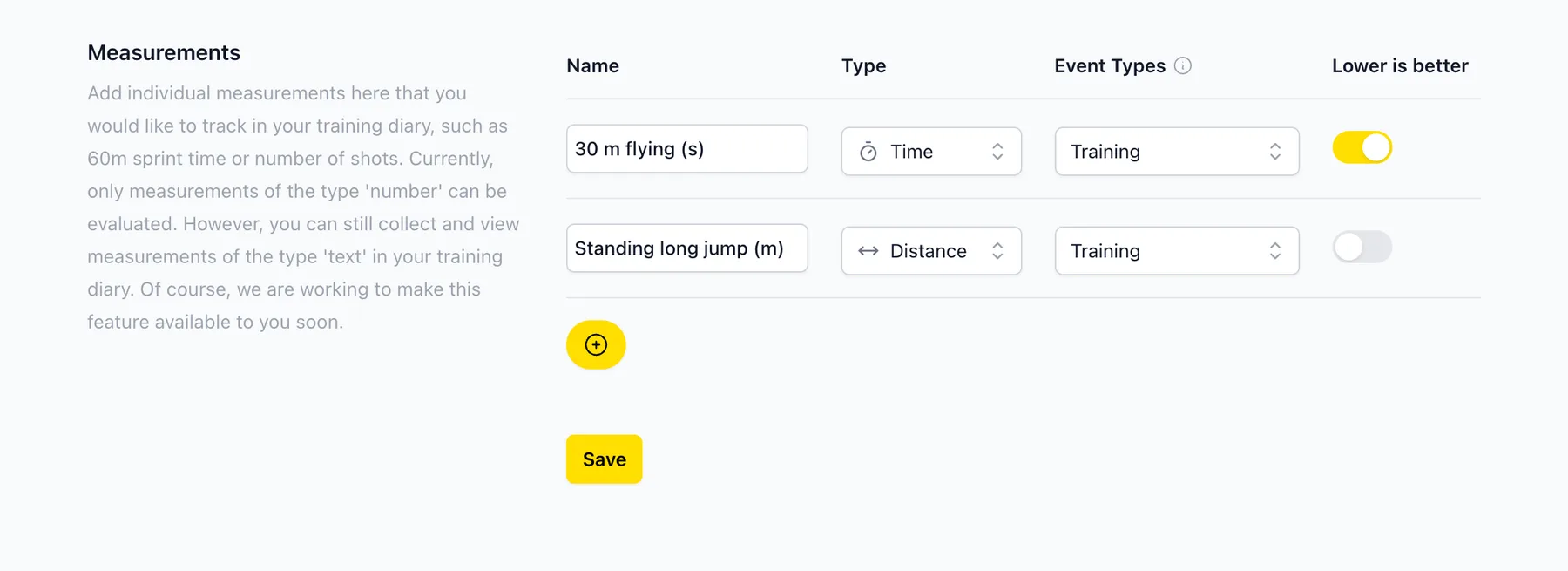
Go to Settings and scroll down to Measurements. Click + to add one.
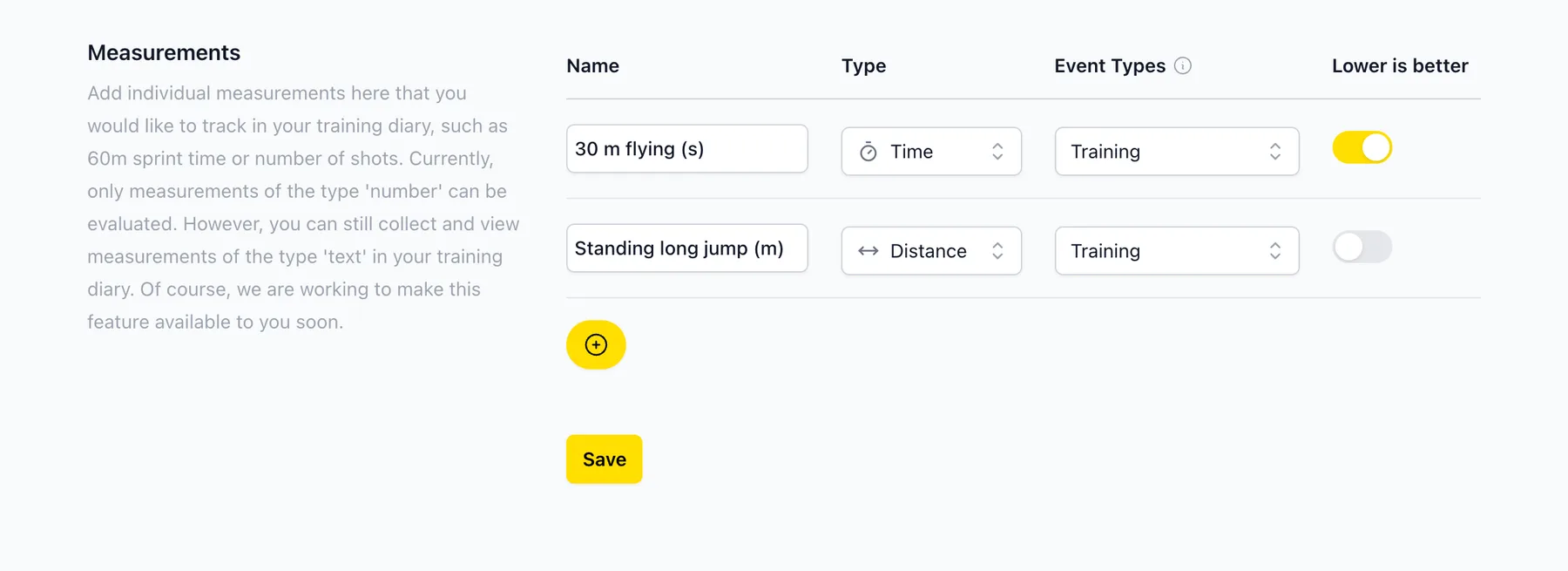
Choose a name and type
Give it a name and choose the type (number, time, distance, height, weight, reps, points or text). Under Event Types, choose which journals it should appear in. For times, switch on Lower is better. Then click Save.
Fill it in after training
The next time you fill in your training journal, the measurement is there. Just enter your value.
Watch your progress
In Analytics, choose the measurement to see a chart with your values, your average and your weekly total. Charts only work for number types.
Didn’t find what you were looking for?
Send us an email. We usually reply the same day.