News - Workout builder, results review, goals and team: the October update
Coaches can now build workouts set by set, attach them to trainings, see what each athlete actually did, keep goals in view per athlete and manage groups and the club on one Team page.
This is the biggest update to the coach web app since we launched. The free-text training description has company: a workout builder with a full exercise library, a results review that shows what each athlete actually did, a goals page that works per athlete and a Team page that brings groups and the club together. Everything below is live on my.athlog.app. Coaches stay free.
Build workouts set by set
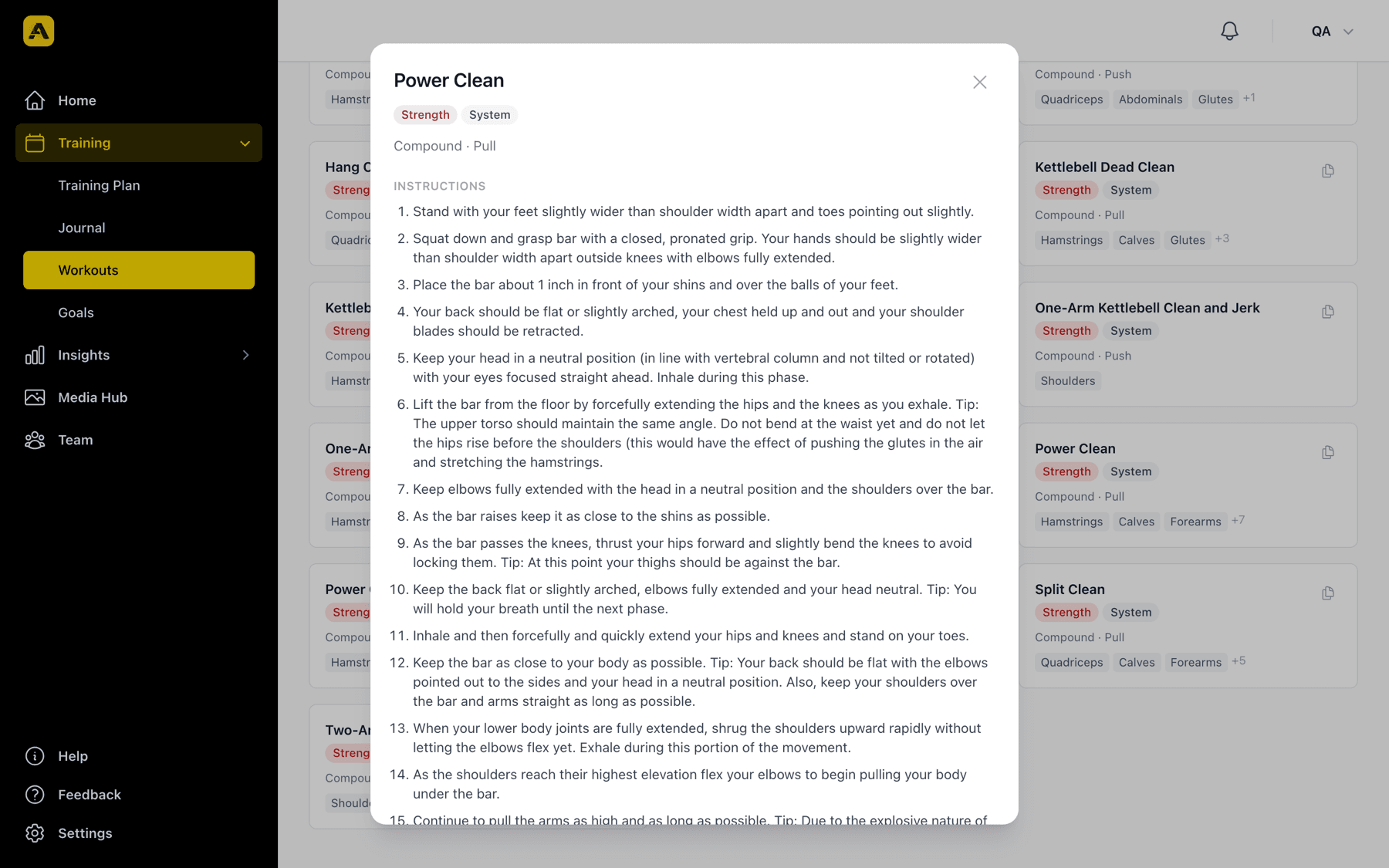
The new Workouts page has two tabs. The Exercise Library comes with more than 860 system exercises, each with category, muscle groups, equipment and step-by-step instructions, and you can add your own. Workout Templates is where you build the session.
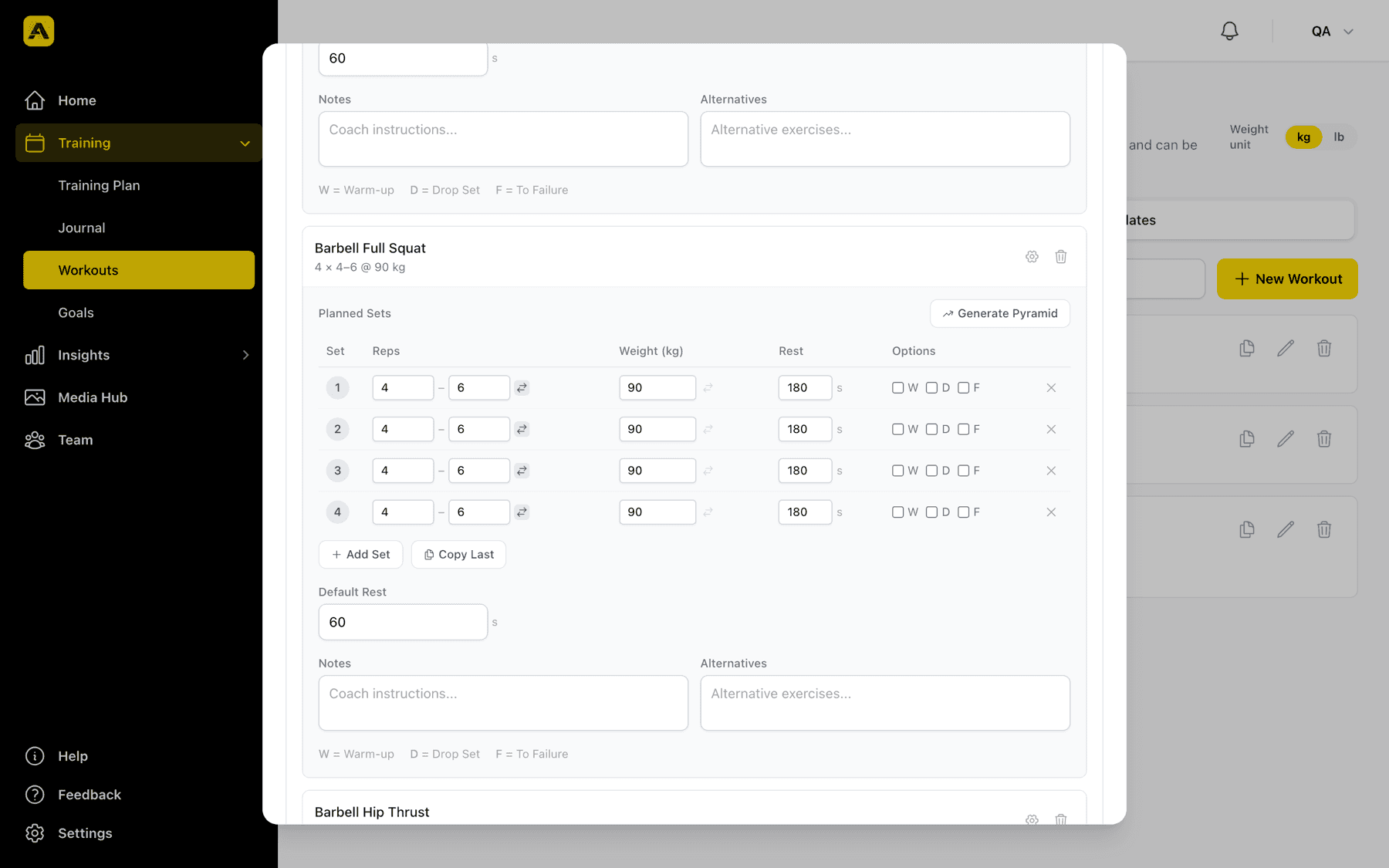
A template is a list of blocks: warm-up, main set, superset, circuit or cool-down. Each block holds exercises, and each exercise holds planned sets with reps, weight and rest. Reps and weight can be ranges, so «4–6 reps at 90 kg» is one line, not three. Every set can be flagged as warm-up, drop set or to failure. If the rack is taken, add a linked alternative such as a goblet squat, and the athlete can switch to it in the app without a message to you. Coach notes sit on the exercise, block notes on the block.
Timed blocks are built in: EMOM, intervals (work and rest in seconds), AMRAP and for-time with a time cap. A pyramid generator fills a run of sets in one click, tags keep your library searchable, and the weight unit switches between kg and lb for the whole page.
Templates live in your personal library or in your club's library. A club template is visible to every coach in the organization, so the Tuesday lift only has to be built once.
Attach a workout to a training
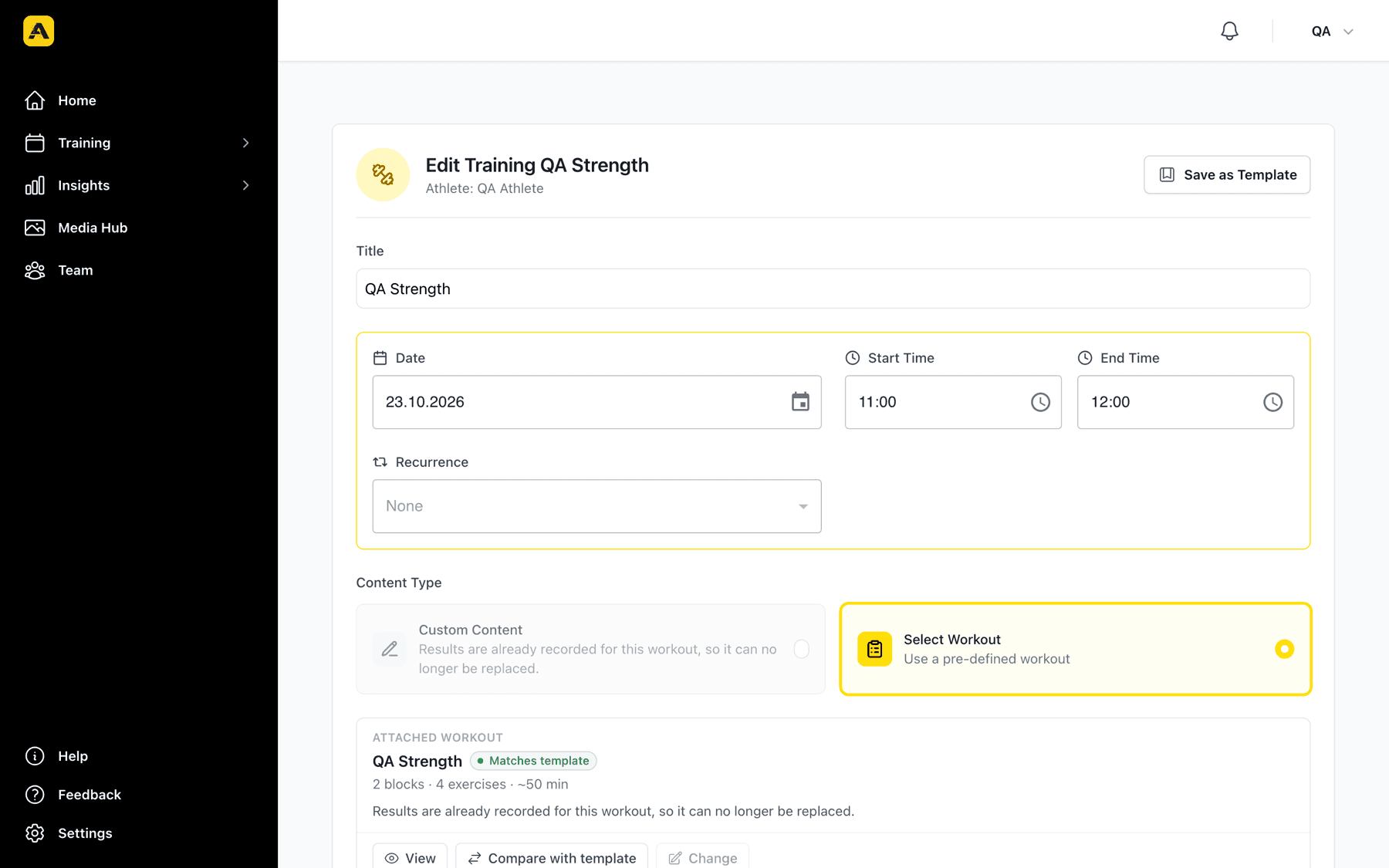
In the training form, choose Select Workout instead of a free-text description and pick a template. Each athlete gets their own copy of the workout. For a group training, every member gets one.
If you edit the template later, the trainings you already planned keep the version you assigned. The training shows a status pill, Matches template or Template updated, and Compare with template lists what changed and lets you update the training's copy in one click. Once an athlete has recorded results, the workout is locked so the record stays honest.
Athletes see the workout on the training in their app and log each set as they go. The guided runner with set logging, rest timer and block timers ships with the next app release.
See what was actually done
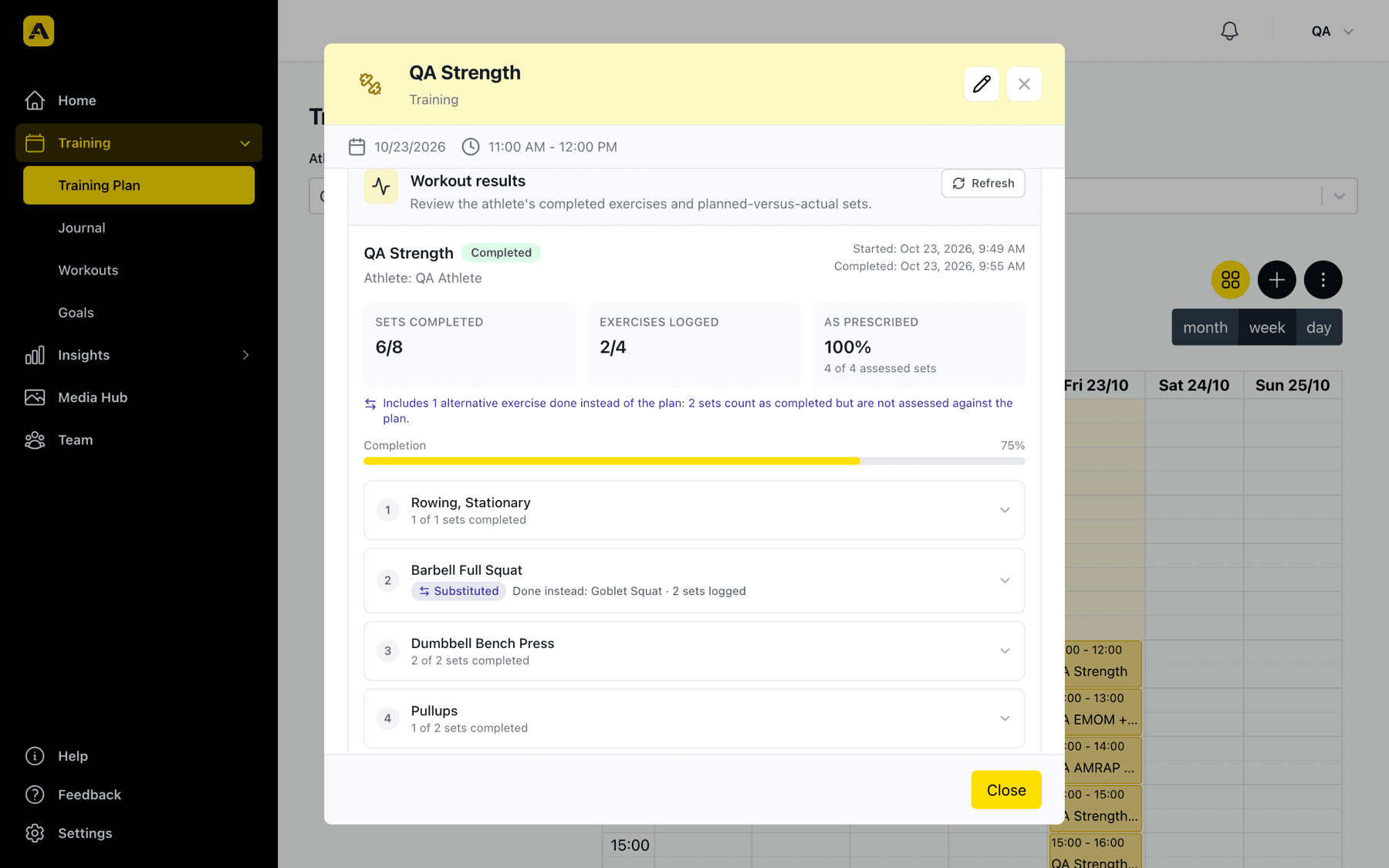
Click a training in the plan and scroll to Workout results. You see how many sets were completed, how many exercises were logged and how many sets matched the plan. Each exercise shows whether it was done as planned, adjusted, skipped or substituted, including which alternative the athlete chose and why a round was skipped. A set that an athlete adjusted is marked as adjusted, not hidden.
Goals, one glance per athlete
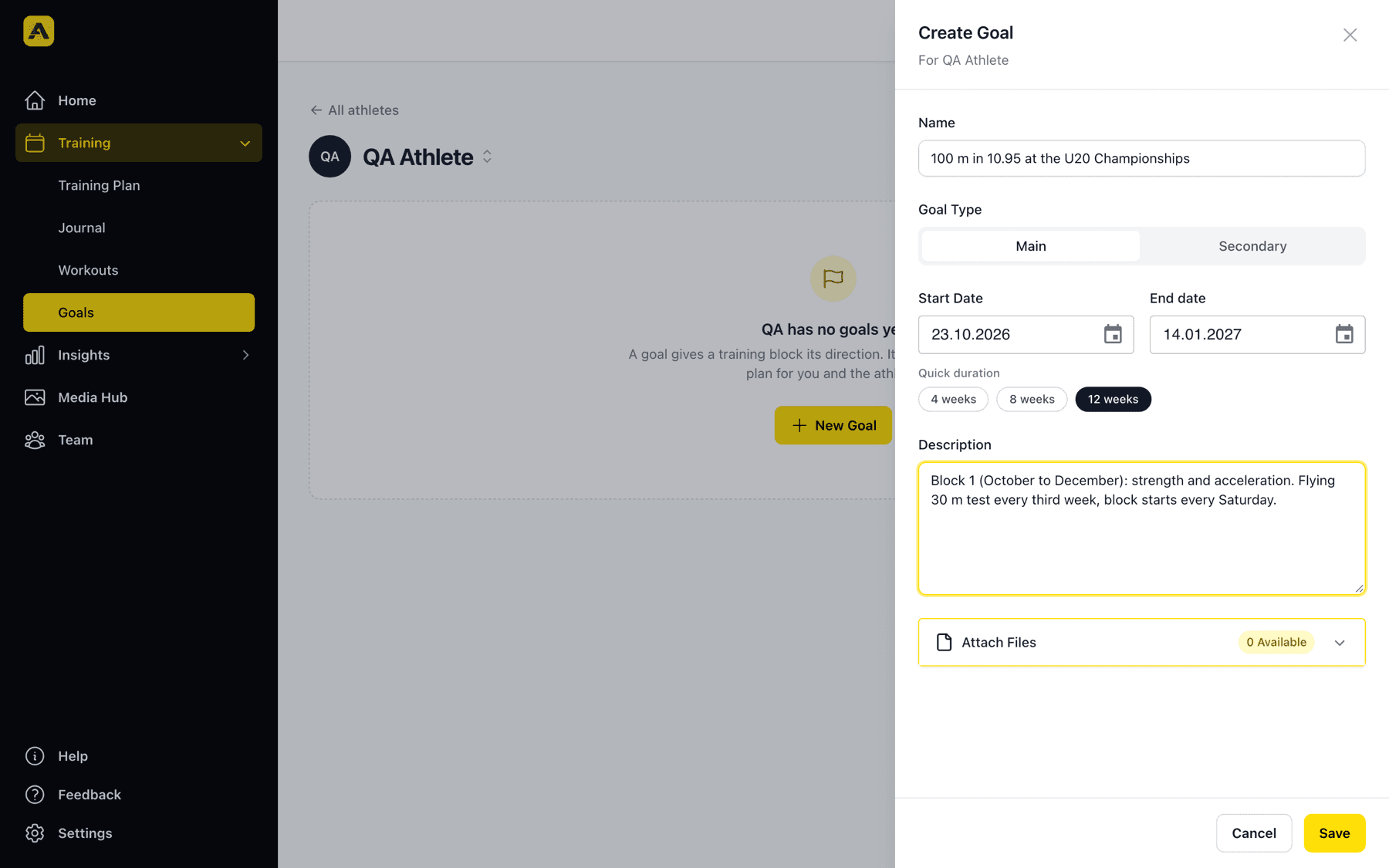
The Goals page was rebuilt around the question you ask most: who is working toward what right now? Filters show every athlete, athletes with no active goal and goals ending soon. Open an athlete to see the main goal and secondary goals, set a 4, 8 or 12 week block in one click and attach files such as a season plan. Goals appear in the athlete's training plan too.
Team: groups and the club in one place
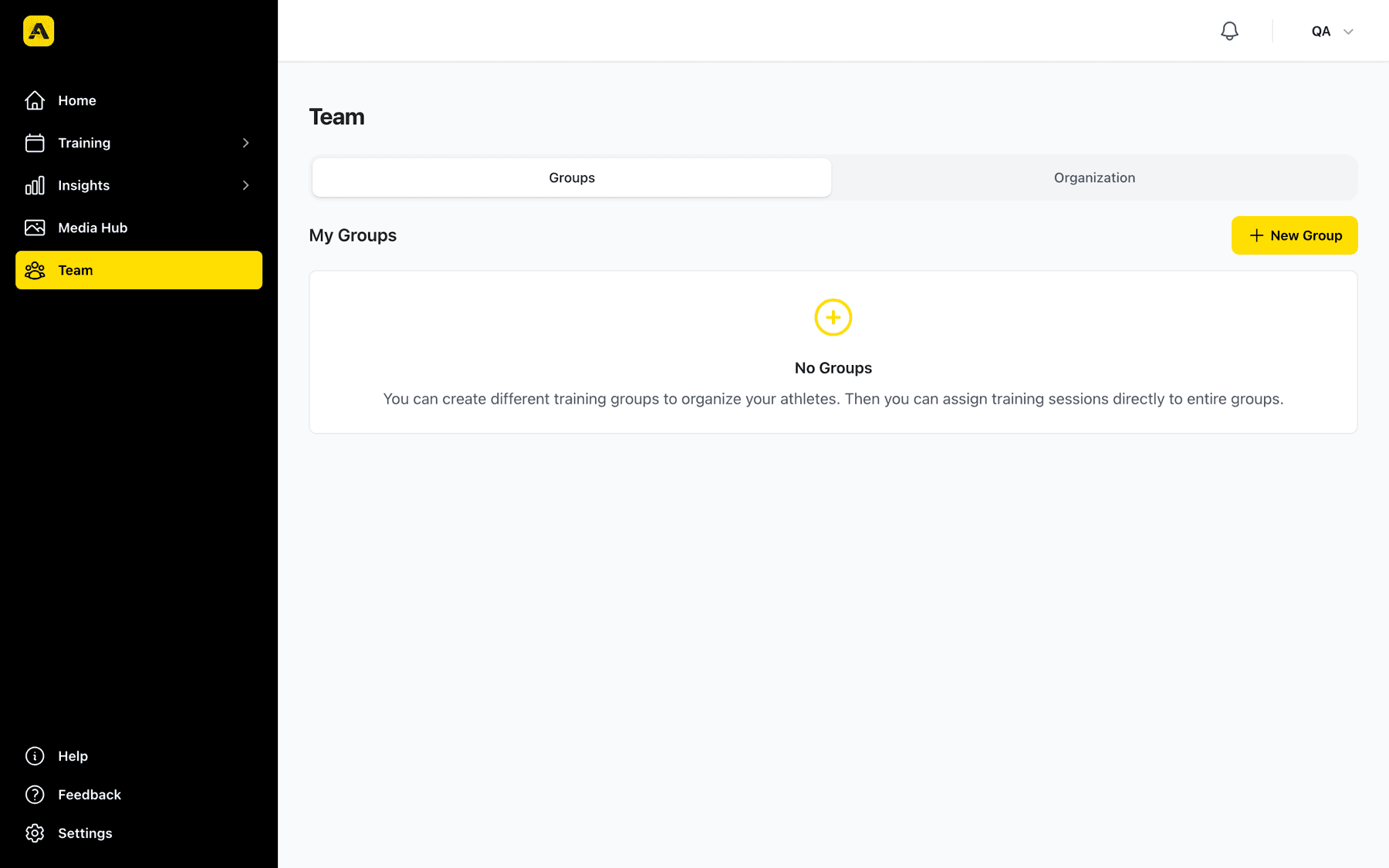
Team replaces the separate group and organization pages. The Groups tab holds your training groups, the Organization tab the club, its licenses and billing. Club admins can now invite many members at once: paste the email addresses, choose one role for the batch, send. Invitees land on an accept page, and the coach and athlete connections are created automatically when they join.
Also new
- A remind button on the journal lets you nudge athletes who have not filled in their entry.
- Group trainings with many members and long series are created in one go, with no more timeouts when you add an athlete to a large group.
- The exercise library and the workout builder respect your weight unit everywhere, including the results review.
Build a template for your next lifting day and attach it to Tuesday's training. If something is missing for your group, write to info@athlog.app.