Replace Excel + WhatsApp: A Simple Coach–Athlete Communication Workflow
Published Updated
These are educational coaching guides, not medical advice. Monitoring does not predict or prevent an individual injury. Treat numerical examples as illustrations, not validated safety thresholds. Seek qualified healthcare advice for persistent pain, illness or unexplained fatigue.
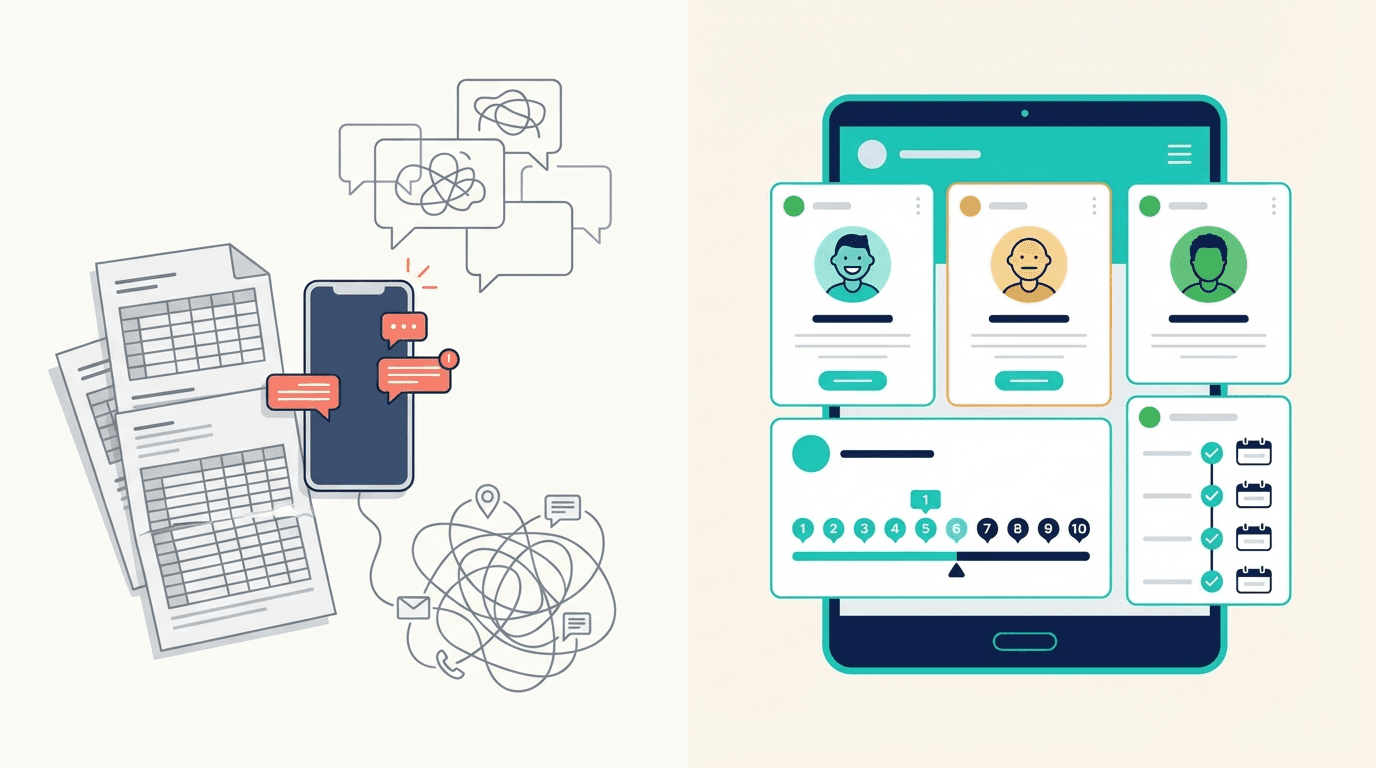
If you coach more than a handful of athletes, you probably know the drill: training plans live in a shared spreadsheet, session feedback arrives via WhatsApp voice notes at 11 PM, and injury updates hide somewhere in a group chat you muted last Tuesday.
It works — until it doesn't. An athlete's knee pain goes unnoticed for two weeks because the message got buried. A taper adjustment never reaches the athlete because you edited the wrong row. The spreadsheet grows so wide it takes ten seconds to scroll to this week's column.
This article walks through a practical workflow that replaces the Excel-plus-messaging combo with something more reliable, without asking coaches or athletes to learn complicated software.
Why spreadsheets and group chats break down
Spreadsheets are great at storing numbers. They are terrible at capturing context. A cell that says "6" for session RPE tells you nothing about the headache the athlete had all morning, the two hours of sleep they missed, or the fact that they cut the session short.
Group chats, on the other hand, are great at context but terrible at structure. Important updates get lost in a stream of emojis, logistics, and off-topic conversations. Try finding last month's injury note in a WhatsApp thread with 400 messages — good luck.
The core problem: training data and athlete communication live in two separate, disconnected systems. Coaches end up doing mental gymnastics to bridge the gap, and things slip through.
Common failure modes
- Delayed feedback loops. An athlete reports high fatigue on Monday morning. The coach doesn't see it until Wednesday because it was a WhatsApp message, not a structured entry.
- Version chaos. Multiple copies of "Training Plan v3 FINAL (2).xlsx" float around. Nobody is sure which one is current.
- No audit trail. When an athlete gets injured, reconstructing the load history means scrolling through months of chat logs and spreadsheet tabs.
- Privacy issues. Group chats expose individual wellness data to the entire team. Not every athlete wants their teammates to know they slept four hours.
What a better workflow looks like
A good coach–athlete communication system doesn't need to be fancy. It needs three things:
- A single place where athletes log daily data — training load, wellness, pain, notes.
- A dashboard where coaches see everyone at a glance — flagging who needs attention today.
- Private, structured channels for follow-up — so conversations about an athlete's knee stay between the coach and the athlete, attached to the relevant data.
That's it. No complex integrations, no enterprise software, no six-month onboarding process.
The daily athlete check-in
Replace the "how are you feeling?" WhatsApp message with a structured daily check-in that takes under 60 seconds:
- Sleep quality (1–5 scale)
- Fatigue (1–5 scale)
- Muscle soreness (1–5 scale)
- Mood (1–5 scale)
- Any pain? (location + severity, if applicable)
- Free-text notes (optional — this is where context lives)
After each session, athletes add:
- Session RPE (1–10)
- Duration (minutes)
- Session type (strength, endurance, skills, match, etc.)
This data flows into a single view. No spreadsheet tabs. No scrolling. Just a clean overview of every athlete's status, updated in real time.
The coach's morning routine
Instead of opening WhatsApp, scanning the group chat, then switching to a spreadsheet, then cross-referencing — a coach opens one dashboard and sees:
- Who reported high fatigue or pain → follow up before the session starts.
- Who hasn't checked in → a quick nudge, not a detective hunt.
- Weekly load trends → spot athletes creeping into a danger zone before they get hurt.
- Acute:chronic workload ratios → computed automatically from the data athletes already logged.
The shift is subtle but powerful: the coach goes from reactive (waiting for an athlete to complain) to proactive (spotting problems before the athlete even raises them).
Making the transition painless
The biggest risk in switching workflows isn't the tool — it's adoption. Athletes who are used to WhatsApp will resist anything that feels like extra work. Here's how to make the switch stick:
Start with the check-in only
Don't try to migrate everything at once. Keep the spreadsheet for programming if you want. Just move the daily check-in to a dedicated tool. Once athletes see that their coach actually reads the data and responds to it, they'll keep doing it.
Make it faster than texting
If logging a session takes longer than sending a WhatsApp message, athletes won't do it. The target: under 30 seconds for a daily check-in, under 15 seconds for post-session RPE. Tap a few sliders, hit submit, done.
Close the feedback loop
The number one reason athletes stop logging: they feel like nobody reads it. When you see an athlete report poor sleep and high soreness, send a quick note — "Saw your check-in. Let's drop intensity today." That single message does more for compliance than any reminder notification.
Respect privacy
Individual wellness data should be visible to the coach, not the whole team. Athletes will be more honest about pain, fatigue, and mental state when they know the information stays between them and their coach.
What to look for in a tool
You don't need to build a custom system. Several platforms exist specifically for this use case. When evaluating options, check for:
- Mobile-first design. Athletes live on their phones. If it doesn't work smoothly on iOS and Android, adoption will suffer.
- Structured daily check-ins. Not just free-text — you need quantifiable fields (RPE, wellness scores) that feed into dashboards and trends.
- Load monitoring built in. Acute:chronic workload ratio, weekly load summaries, and fatigue trends should compute automatically. You shouldn't have to build formulas.
- Private coach–athlete messaging. Context should live next to the data, not in a separate app.
- Low friction. If setup takes more than 15 minutes per athlete, it's too complicated.
Tools like Athlog are designed around exactly this workflow: athletes check in daily, coaches see the big picture, and communication stays structured and private.
A real-world example
Consider a track and field coach working with 20 athletes across sprint, middle-distance, and throwing groups. Before switching:
- Training plans were in a shared Google Sheet with 15 tabs.
- Athletes messaged session feedback to a WhatsApp group.
- Injury updates came via private messages — sometimes to the coach, sometimes to the physio, sometimes to both, sometimes to neither.
- The coach spent ~45 minutes each morning piecing together who did what, who felt bad, and who needed a plan change.
After moving to a structured workflow:
- Athletes log check-ins and session RPE on their phones. Takes them about 40 seconds.
- The coach opens a single dashboard each morning. Athletes flagged with high fatigue, pain, or missed check-ins appear at the top.
- Load trends and ACWR are computed automatically — no formulas to maintain.
- Private notes replace the WhatsApp back-and-forth. Everything is attached to the athlete's profile, searchable and time-stamped.
The morning routine dropped from 45 minutes to about 10. More importantly, the coach caught two developing overuse issues that would have been missed in the old system — because the data was visible and structured, not buried in a chat.
The bottom line
Excel and WhatsApp aren't bad tools. They're just not designed for coach–athlete communication at scale. When training data lives in a spreadsheet and feedback lives in a chat app, important signals get lost in the gap between them.
A simple, structured workflow — daily check-ins, a coach dashboard, private messaging — closes that gap. Athletes spend less time reporting. Coaches spend less time searching. And the information that matters (load, wellness, pain, readiness) is always where you need it: in one place, up to date, and actionable.
The switch doesn't have to be dramatic. Start with the daily check-in. Let the data speak for itself. The spreadsheet will retire on its own.